Two things this time: the game now plays properly on a phone, and every selected thing tells you what to do next.
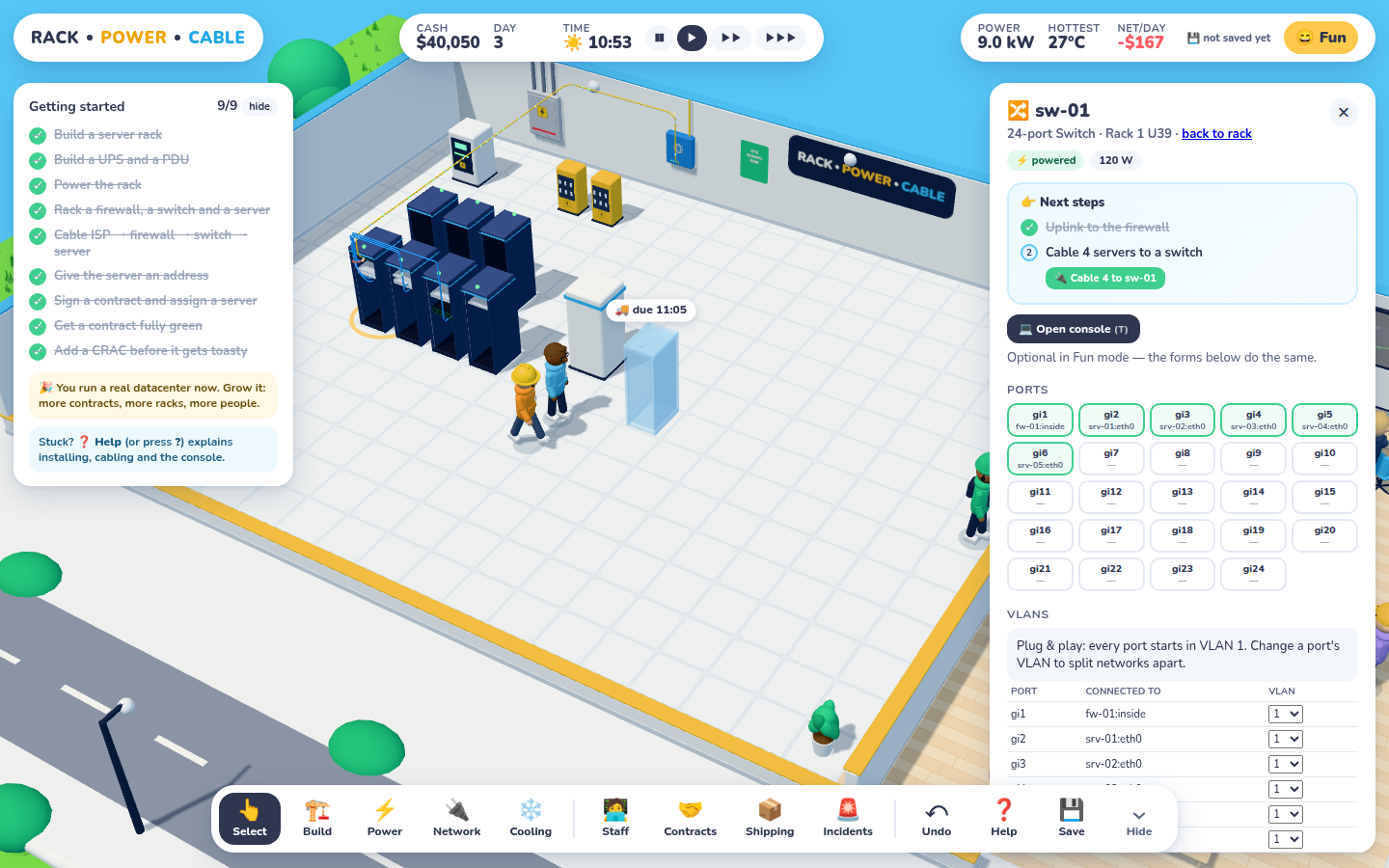
Select anything and a Next steps card lists what's left. The current step has a button that does it. Here, one click cables all four loose servers.
Next steps
Players liked the depth but kept losing the thread between steps: "I've racked a server… now what?" Now every rack, PDU, UPS, firewall, switch, server and the ISP demarc gets a short checklist at the top of its panel. Done steps are ticked, and the current one has a button. Most buttons just do the obvious thing:
⚡ Run power from the PDU, or Power 3 racks, which feeds every unpowered rack the PDU has outlets for.
🔌 Cable to sw-01, which finds a free switch port. On a switch, Cable 4 to sw-01 cables every loose server in one go.
✨ Auto-address in Fun mode, or 💻 Open the console in Hacker mode, where you still have to type it.
Everything else is a jump: to the gear list, the heat map, the contracts panel or the Build catalog.
Every one-click action goes through undo like anything else. The tutorial also got a 👉 Show me button that opens the right tool or selects the right thing for the current step. The dock can now be collapsed with Hide or the ` key, and it stays that way next visit.
Phones
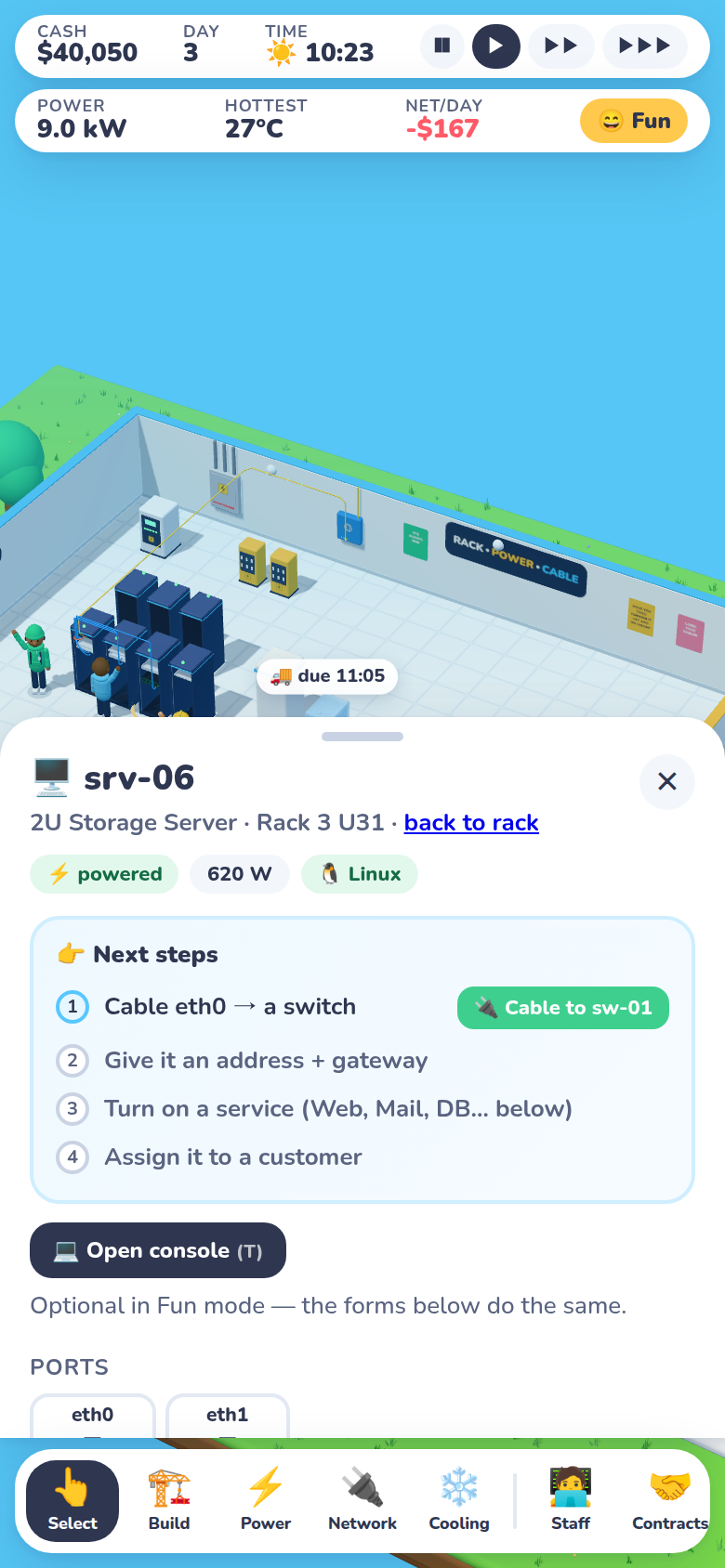
Portrait: the inspector becomes a bottom sheet (tap the grip to make it taller), and the dock scrolls sideways.
The desktop build already worked in a phone browser, in the sense that it loaded. Now it's actually playable:
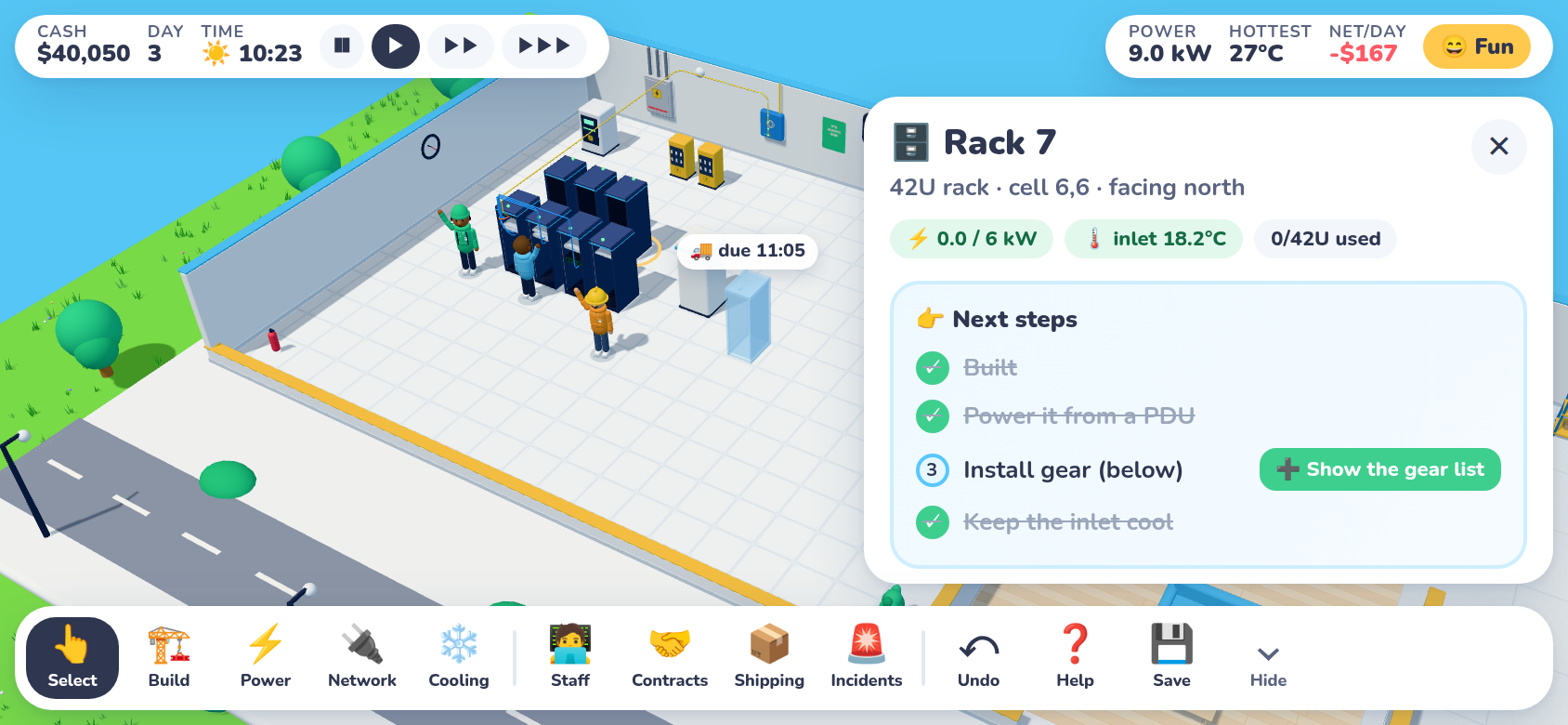
Touch controls. One finger pans, two fingers pinch-zoom and twist. Tap to select. Placing something works as tap a spot, then confirm: a bar appears with ⟳ Rotate, ✓ Place ($1,200) and ✕, and it tells you why when a spot doesn't work. Long-press cancels a tool.
Layout. In portrait the side panel is a bottom sheet and the stats bar wraps to two rows. In landscape the panel is a slim column on the right. Everything respects the notch and the home indicator.
Console. The terminal goes full screen, and a 📖 button slides out the command list, since there's no room to keep it docked.
Graphics. A Low / High / Auto setting in Help. Low means fewer shadows, less grass, fewer night lights and a capped pixel ratio. Auto picks Low on phones.
Landscape: the panel is a column on the right, and the full dock fits.
Install it, play it offline
The site is now a proper web app, so Add to Home Screen gives you an icon and a full-screen game with no browser bars. A service worker caches the game on first visit, so it opens and plays with no connection at all. Saves were always in the browser anyway. Each deploy gets a fresh cache: content-hashed files are served straight from the cache, and everything else asks the network first, so an update never mixes new code with an old stylesheet.
Two testing traps. Chrome's "Offline" switch in DevTools emulation didn't reach the service worker, so my first offline test would have passed even if caching were broken. The honest version was to stop the server and reload. And a bottom sheet that was both rounded and scrollable made the 3D view disappear behind it in the test browser, even though reading back the pixels proved the frame was drawn. I can't prove that happens on a real phone, but the fix was cheap: the rounded card now clips, and a plain box inside it does the scrolling.
HR arrived, and so did the people it exists to catch.
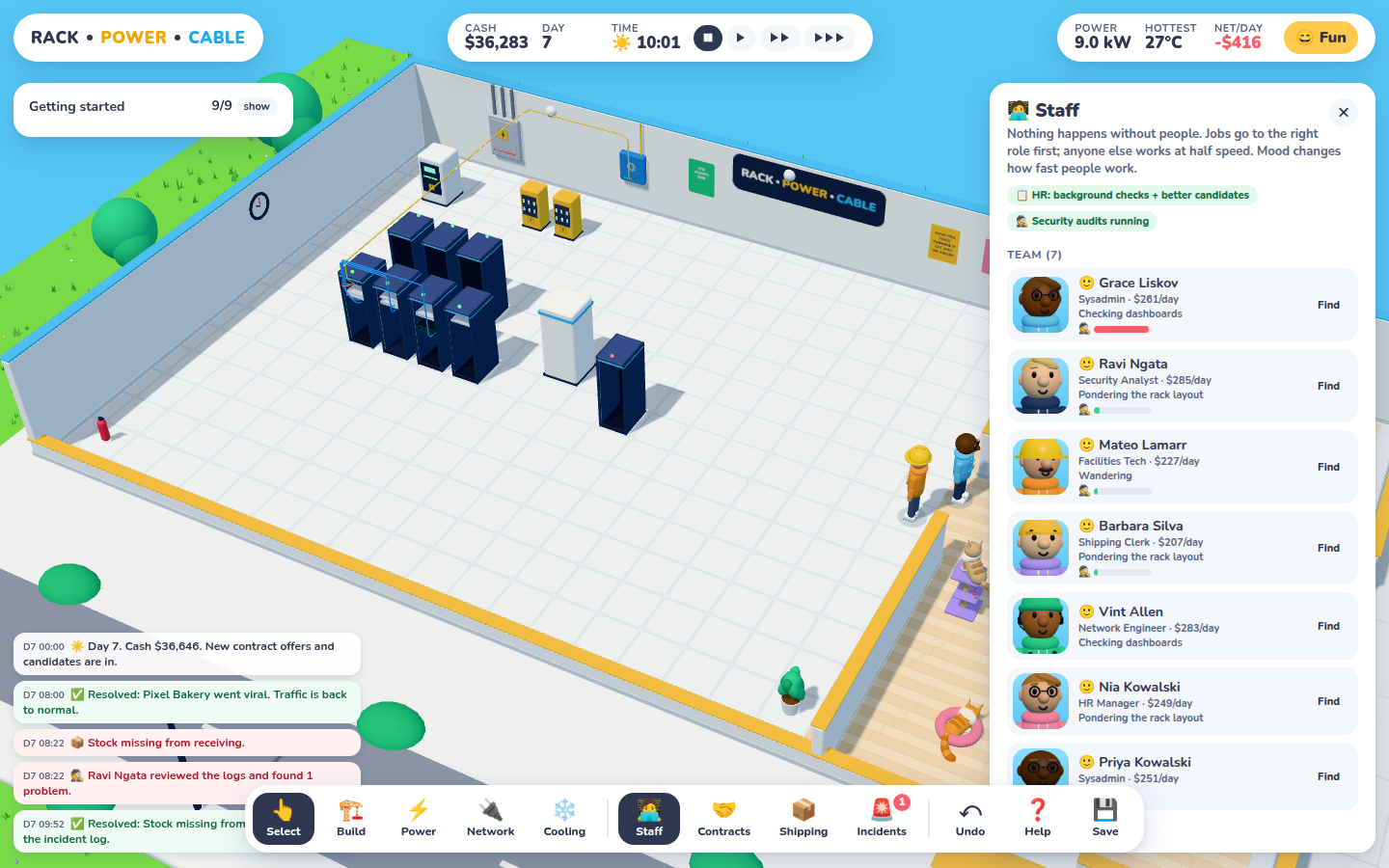
With a Security Analyst on staff, the team list sorts by suspicion. One name has a very red bar.
HR Manager
A new role in a pink hoodie. Having one on staff means more candidates each morning (six instead of four, slightly more skilled), a slow boost to morale, and a 📋 Check button on every candidate. For $150 the HR Manager sits at a desk for 45 minutes and comes back with ✓ Clear or a red flag: a falsified certification, an undisclosed firing, a fraud conviction. People with a red flag work 15% slower and are grumpier. You can still hire them.
Insiders
About one candidate in seventeen is quietly malicious, and a background check only sees through them about a third of the time. They never do anything suspicious in front of you. Now and then an insider picks up a job with a perfectly boring label ("Firmware update on fw-01", "Log rotation on srv-03", "Inventory count in receiving"), walks over, fiddles for a bit, and leaves. Afterwards, one of these has happened:
🦶 A cable "comes loose". It looks like the ordinary trip-over incident.
🕵️ A firewall rule nobody added. An allow-any rule plus a 1:1 NAT that exposes a server's every port, which the tracer then flags on any contract that says "SSH must not be public".
📦 Stock vanishes from the receiving shelves.
💾 Customer data walks out, which costs a breach notification and customer trust once it's found.
Security audits
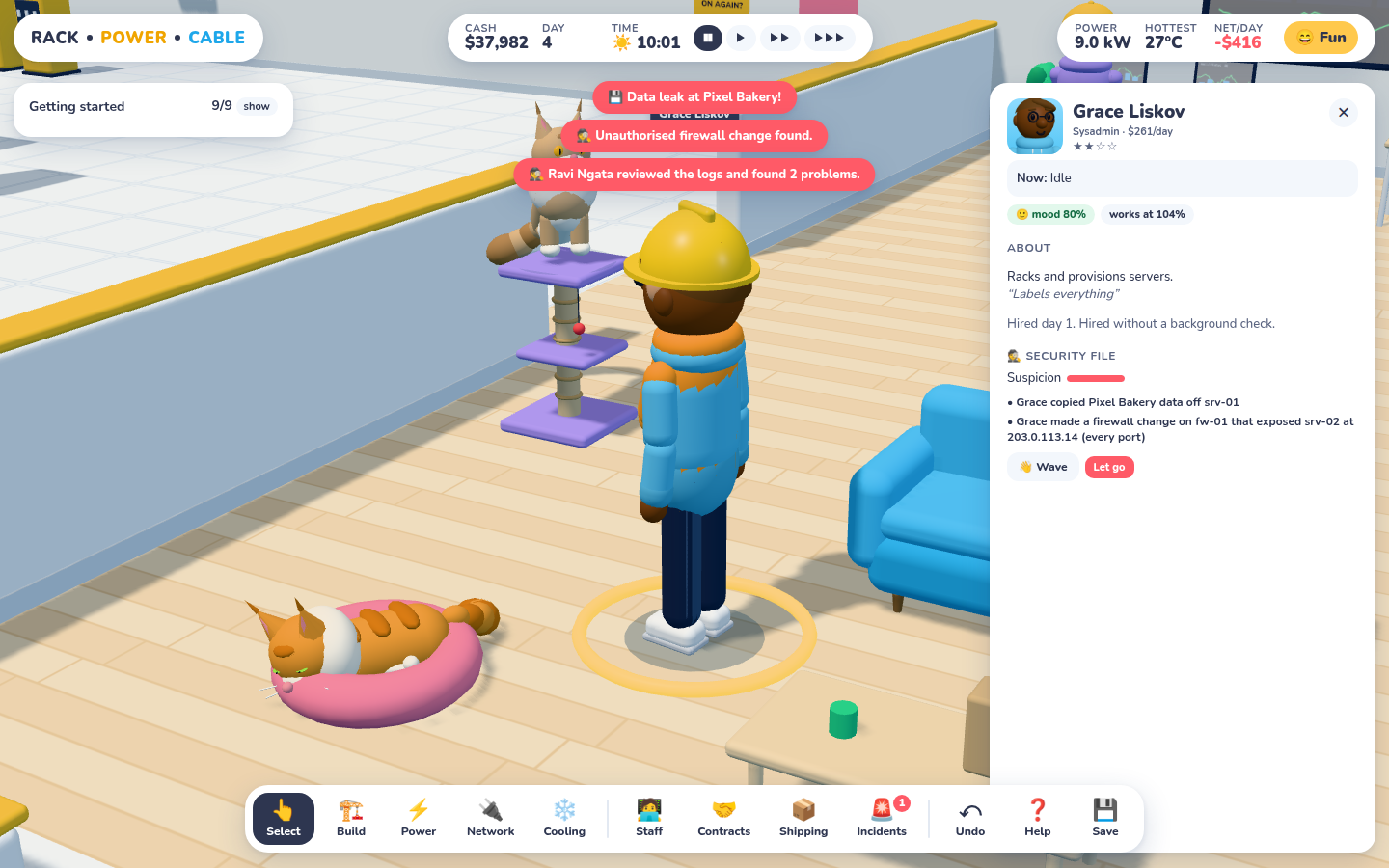
An audit turns up a data leak and an unauthorised firewall change, and both land in Grace's security file. The rogue rule gets a ⚠ in the firewall.
Every few hours each Security Analyst sits down to review the access and change logs. Hidden sabotage gets found (not always on the first pass), turns into an incident, and adds to the culprit's suspicion, with a little noise so the list isn't a giveaway. Each person's panel has a security file listing the evidence in plain sentences. Let go of an insider and you get a 🎯 and the full list of everything they did. Fire an innocent person the team suspected and everyone's mood takes a real hit.
Morale
Everyone now has a mood, shown as an emoji. It drifts back toward "fine" by default, goes up a little with coffee, the kitchen and an HR Manager, and goes down with overtime and firings. It scales work speed from 80% to 110%, and someone at rock bottom will eventually quit.
A testing trap worth sharing: my "run for two days" loop recomputed its target from the current day on every step, so the finish line kept moving and it ran about 50 days. For a moment it looked like the insider had done 41 things in two days. The per-hour rate was fine; the test wasn't.
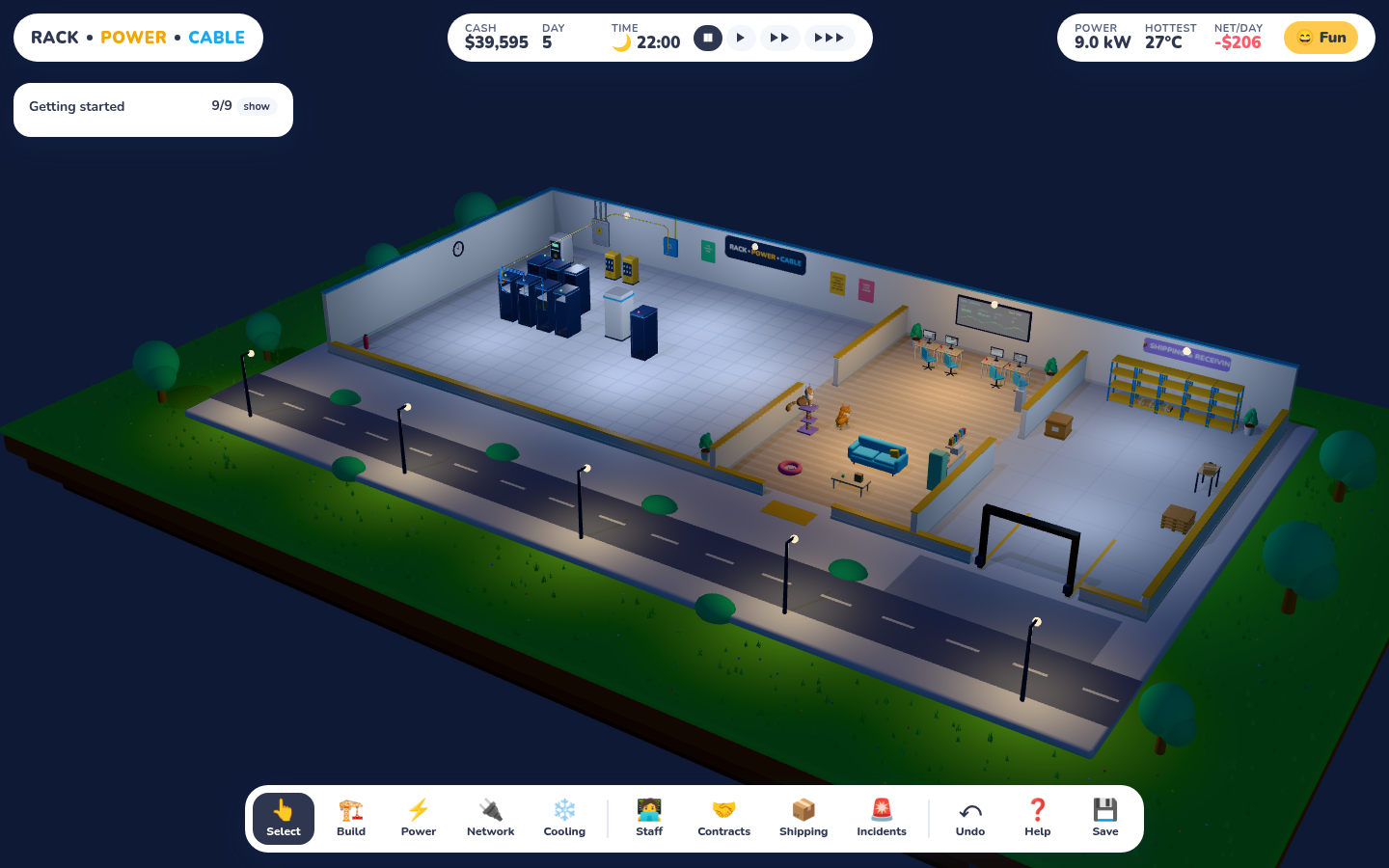
22:00. Streetlamps on, the server room glowing cool white, the office warm. The staff have gone home; the cats have not.
Day and night. The game clock now drives the sky: warm peach at dusk, deep navy by 20:30, stars overhead. The sun fades to a cool moonlight and the island falls into shadow. At dusk the building's lights click on with a little warm-up flicker: cool white over the racks and in receiving, warm in the office, sconces on the back wall, and a row of streetlamps down the road. The monitors, the NOC screen and every blinking LED suddenly matter visually.
Working hours. Staff now work 07:00–19:00. After that they finish whatever job is in their hands (overtime is fine), walk out the front door, and come back in the morning with a wave. Nothing new starts after hours: a cable someone trips over at 21:00 shows 🌙 after hours and gets fixed at 07:00. That changes the tension. A UPS battery or a spare-parts shelf matters a lot more when nobody's around at 2am.
🍎 Micro-kitchen, the second office upgrade ($4,000): a counter with a mint fridge, a microwave, a fruit bowl, snack jars and a shelf of colourful boxes. People take snack breaks (with a new nibbling animation), so work runs 8% slower, but they're happy to stay until 23:00. That's four more working hours a day, which easily pays for the snacks.
On the roadmap
A few ideas from the same conversation went into the plan as M6 — Security & compliance: a front desk with a receptionist or guard, badged doors that slow everyone down a little, badge logs that help catch insiders, and SOC 1 / SOC 2 / PCI certification. Each control gets checked against the live sim, auditors walk the floor, and certificates unlock the big contracts.
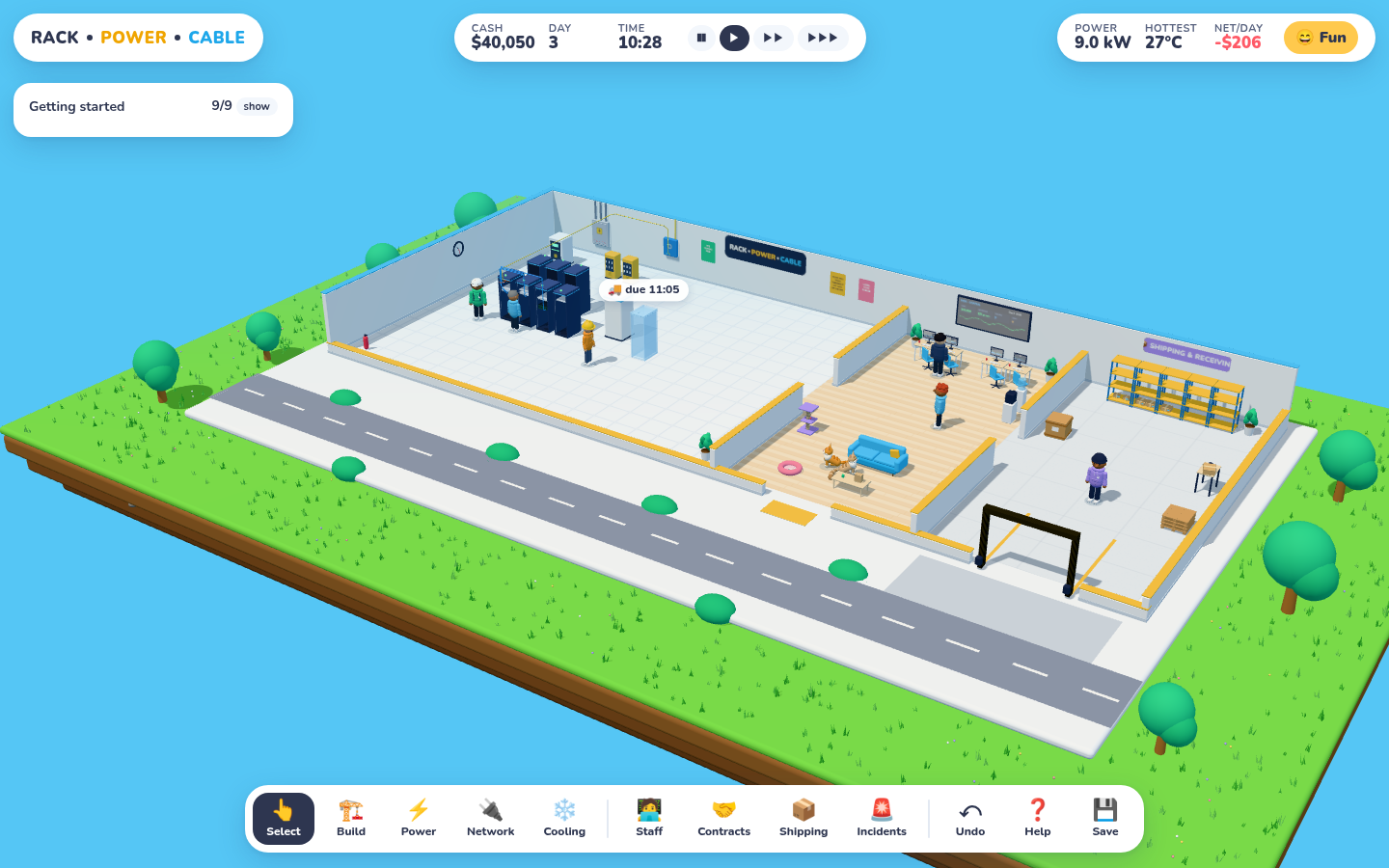
New offices get a water cooler and nothing else. The ☕ coffee machine is now the first office upgrade, in a new section at the end of the Build menu. It costs $1,500 and goes through the same pipeline as everything else. It's ordered, arrives on a RocketBox truck, waits in receiving, and then a Facilities Tech carries it to its spot by the cooler and plugs it in.
Once it's installed, every job goes 10% faster. The Build menu card follows it along: price → 🚚 on its way → ✓ installed. Upgrades live in the save file and work with undo like any other purchase. This is the hook for the rest of the office upgrades still to come: better chairs, a snack wall, a proper espresso machine.
The building's board now sits on a floating island of grass, and past the edge there's just sky.
The diorama used to sit on an endless flat blue plane. Now it's a proper island: a thick slab of turf with rounded edges and layers of soil (with the odd pebble) stepping in underneath, floating in the blue. About 900 little grass tufts stick up, each a cluster of four thin blades leaning different ways, all drawn in a single instanced draw call along with a sprinkle of tiny flowers. The trees moved onto the grass. You can zoom out a little further now to see the island float.
Also
RackShip is now RocketBox, rocket logo and all.
Bat the red ball on the cat tree and it swings on its string: a damped pendulum on two axes, about one swing a second, dying away over a few seconds. It has a generous invisible hit area, because a 3.5 cm ball is hard to click.
Clicks now ignore anything hidden. With the dog chosen, the cat tree is invisible, and its toy used to be clickable anyway.
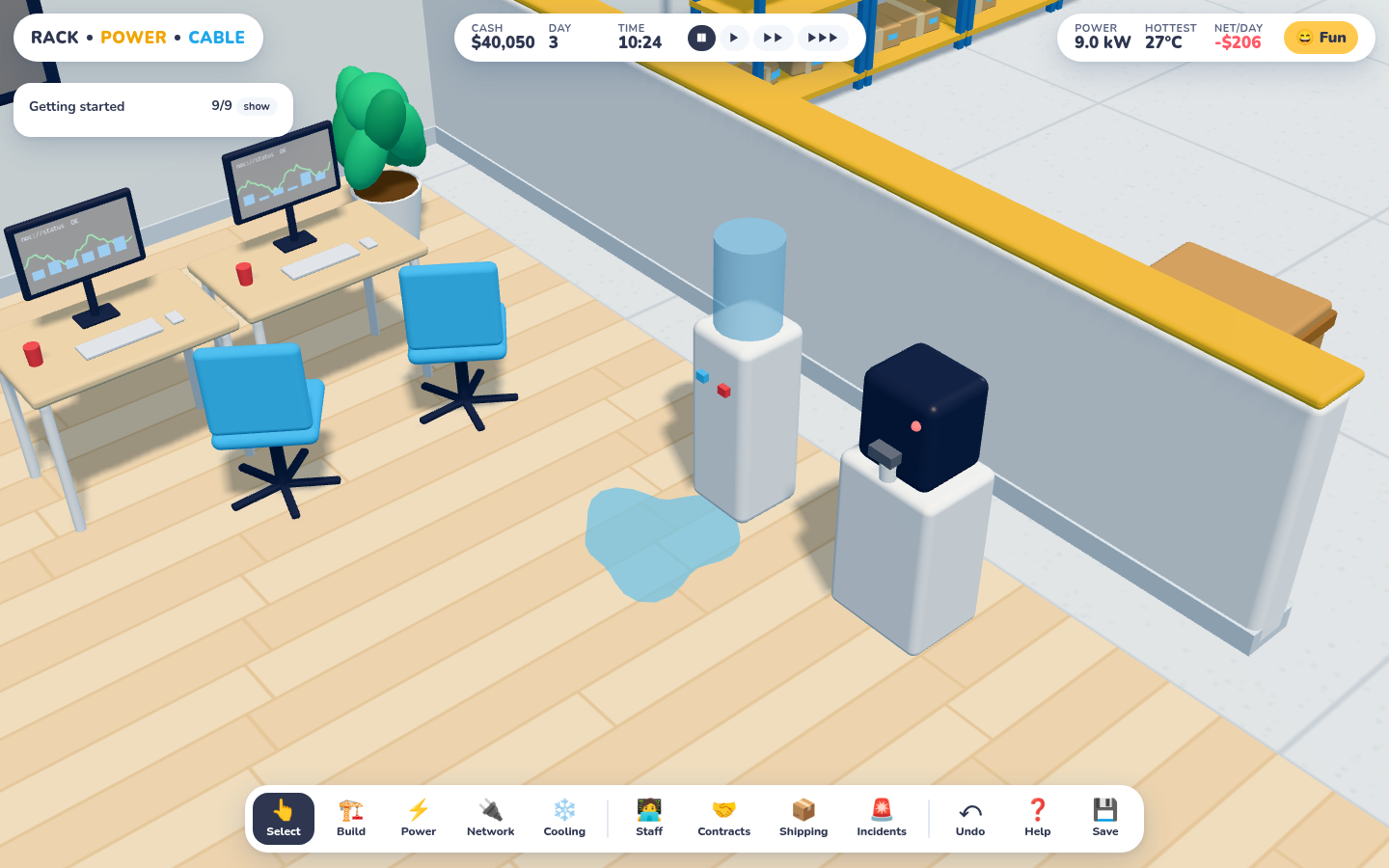
Click the water cooler and it glugs, splashes, and leaves a puddle that dries up after five seconds.
Toys don't need a reason. Two new ones:
The water cooler: droplets arc out of the tap, bubbles rise in the bottle, the cooler wobbles, and a puddle spreads across the floor. Every puddle has its own wobbly outline, and it's gone after exactly 5 seconds. That's timed on the wall clock, not frame time, so a slow machine doesn't make it hang around.
Plants and trees: the potted plants and the trees outside shake when you touch them and drop a few leaves that flutter down and fade.
The cursor turns into a pointer over anything pokeable. None of it touches the game state, so it never ends up in a save or the undo history.
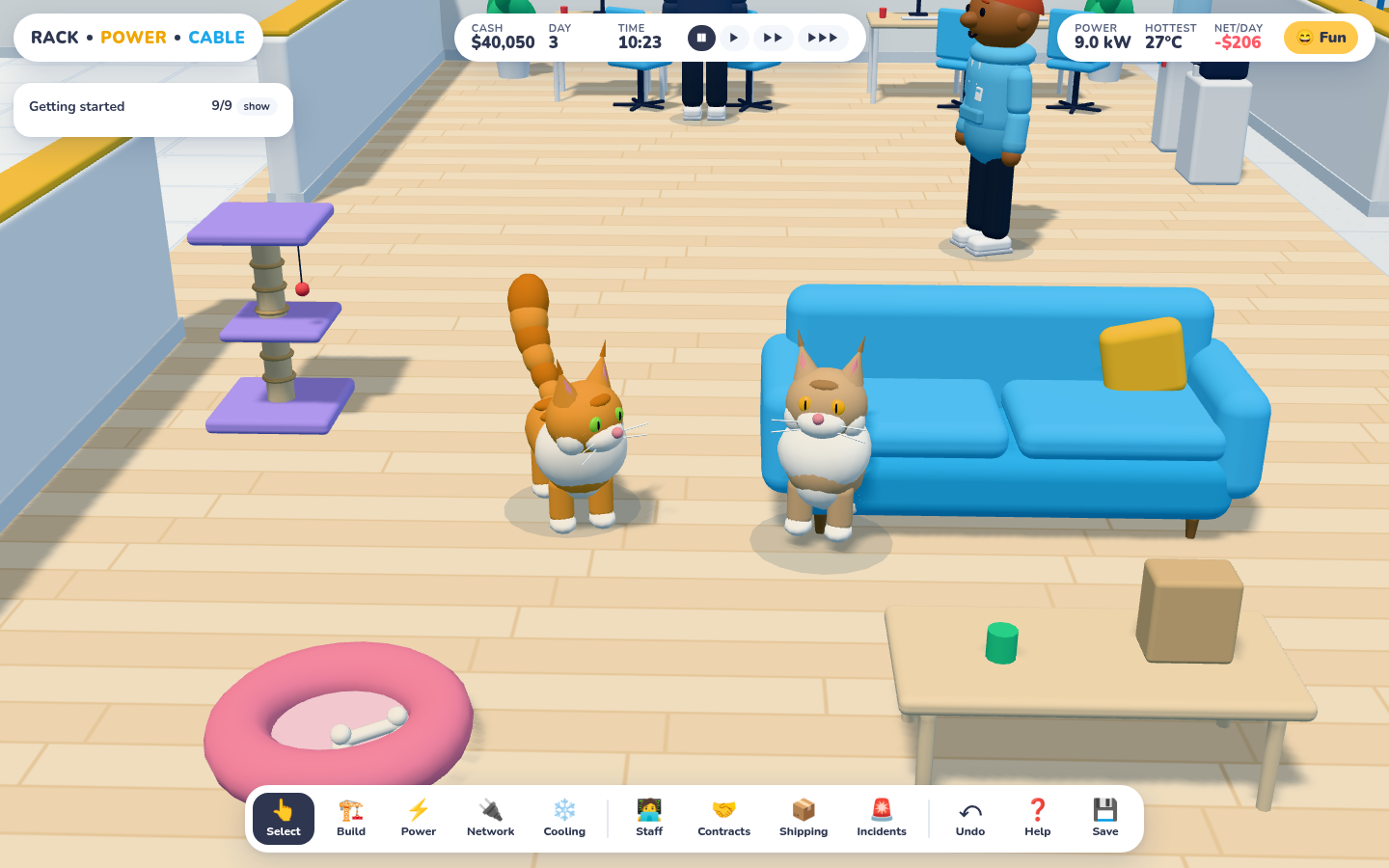
This one was a feature request with no economic value at all, so it went straight to the top of the list. The title screen now asks the important question: 🐶 Office dog or 🐱 Maine Coon cats?
Posed: the orange-and-white one and the tan-and-white one. Both have tufted ears, a white ruff, whiskers and slit pupils, plus a tail like a feather duster. Picking cats also adds a cat tree to the office.
They're built from the same rounded primitives as everyone else, with a few Maine Coon signatures: lynx tufts on the ears, a big white chest ruff, cheek fluff, white socks, tabby stripes along the back, and a six-segment tail that gets fluffier toward the tip. It swishes as they walk and curls round them when they sit or sleep.
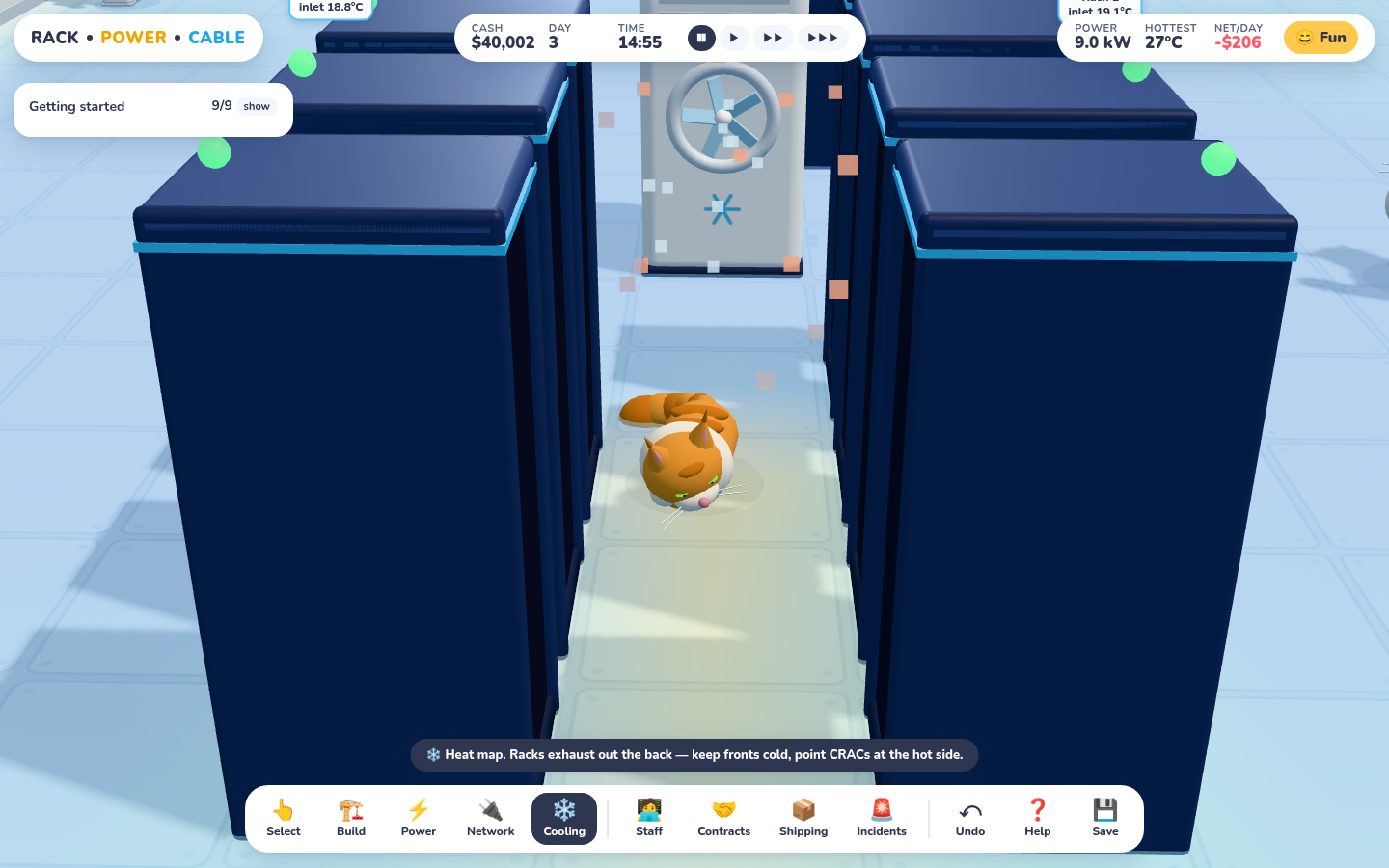
They behave like cats, which is to say they mostly sleep. They nap in the bed, perch on top of the cat tree, follow whoever's working, and sometimes they go looking for the warmest spot in the building. In a datacenter, that's the hot aisle behind your busiest rack.
Not posed: the cat found the hot aisle behind the GPU rack all by itself (it reads the same heat grid the cooling sim uses) and went to sleep there.
Click one and you get a Meow!, a Mrrrp? or a sleepy Mrrrp… 💤, which also wakes it up. Your choice is remembered per browser and saved with the game. Old saves keep their dog.
This was the best kind of playtest feedback: blunt, and it points straight at the core loop. Both answers existed, but you had to know where to look:
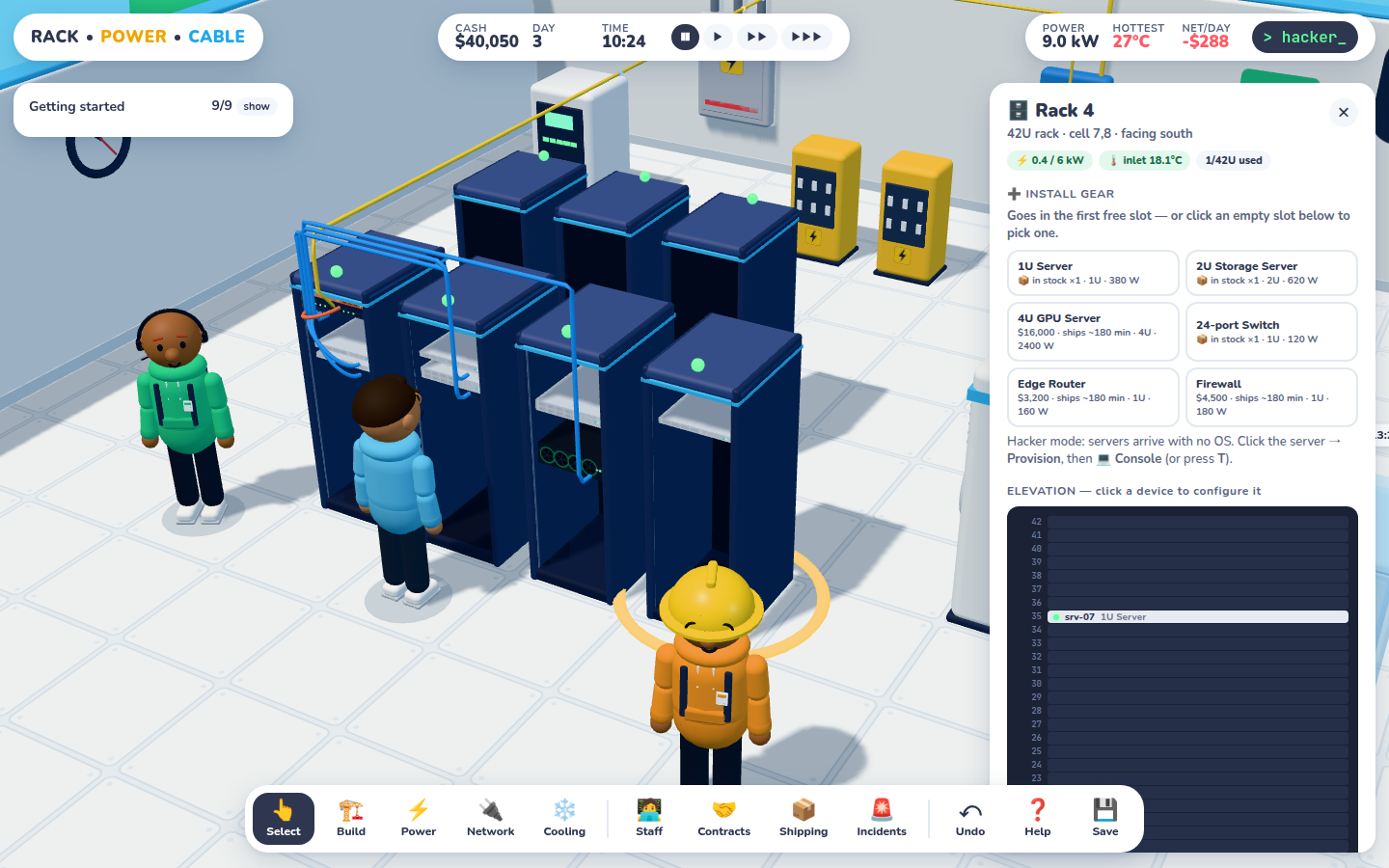
Installing gear meant clicking one of 42 thin, dark, unlabelled bars in the rack's elevation view before any choices appeared.
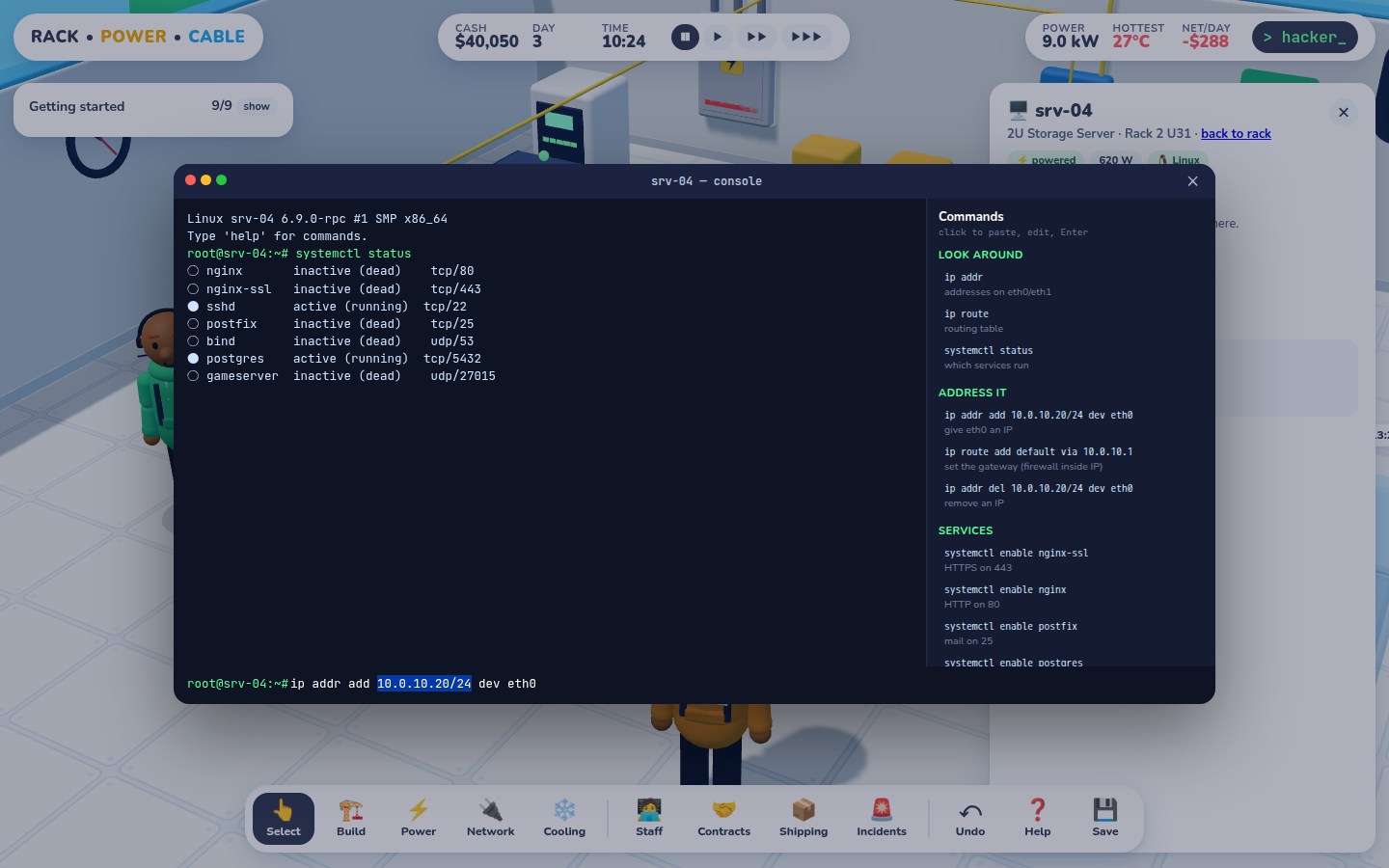
The Hacker-mode CLI was a button at the bottom of a device panel, and it didn't tell you what to type.
Every rack panel now opens with ➕ Install gear, one click per item. Picking a slot is optional, and empty slots say "+ U34" on hover.The console has a clickable cheat sheet for each device type. A click pastes the command with the IP pre-selected, so you just type over it.
Also new:
💻 Open console sits at the top of every device panel, and T opens it for whatever is selected.
A ❓ Help panel (press ?) covers installing, power, cabling and configuring, plus the full command reference for servers, switches, routers and firewalls.
A bug this turned up: closing the console left its hidden input focused, so every hotkey was silently ignored until you clicked something else. Of course the shortcuts "didn't work".
Two systems this time, and they lean on each other. Shipping & Receiving means nothing appears out of thin air any more. Incidents means the datacenter keeps you busy after everything goes green. Repairs need parts, and parts come on the truck.
Shipping & Receiving
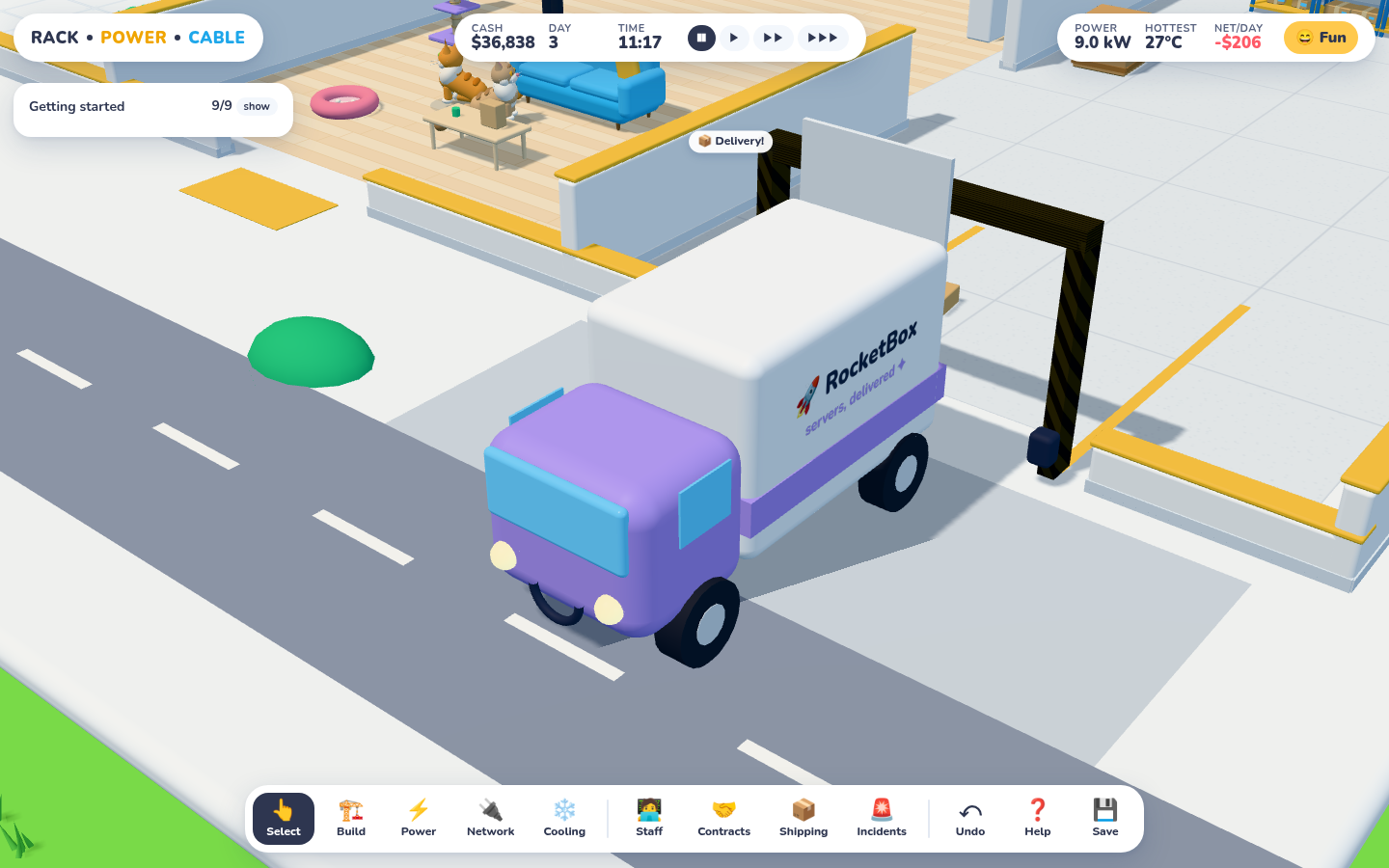
A RocketBox van reverses up to the dock and the driver drops the load on the pad. (The couriers were called RackShip for about an hour before a rebrand.)
Clicking "install a server" used to spawn a server. Now it places an order:
A truck arrives after the lead time: 45 game-minutes in Fun, 3 hours in Hacker. Orders placed close together share a truck.
Boxes land on the dock. The new Shipping Clerk carries each one in, gives it an asset tag (RPC-1000, RPC-1001…) and shelves it. Small gear goes on the racking; crates and 4U boxes go to floor staging.
If the box was ordered for something, like a rack slot, a placed UPS or a repair, a job appears. Someone walks to the shelf, picks the box up, carries it across the building and installs it.
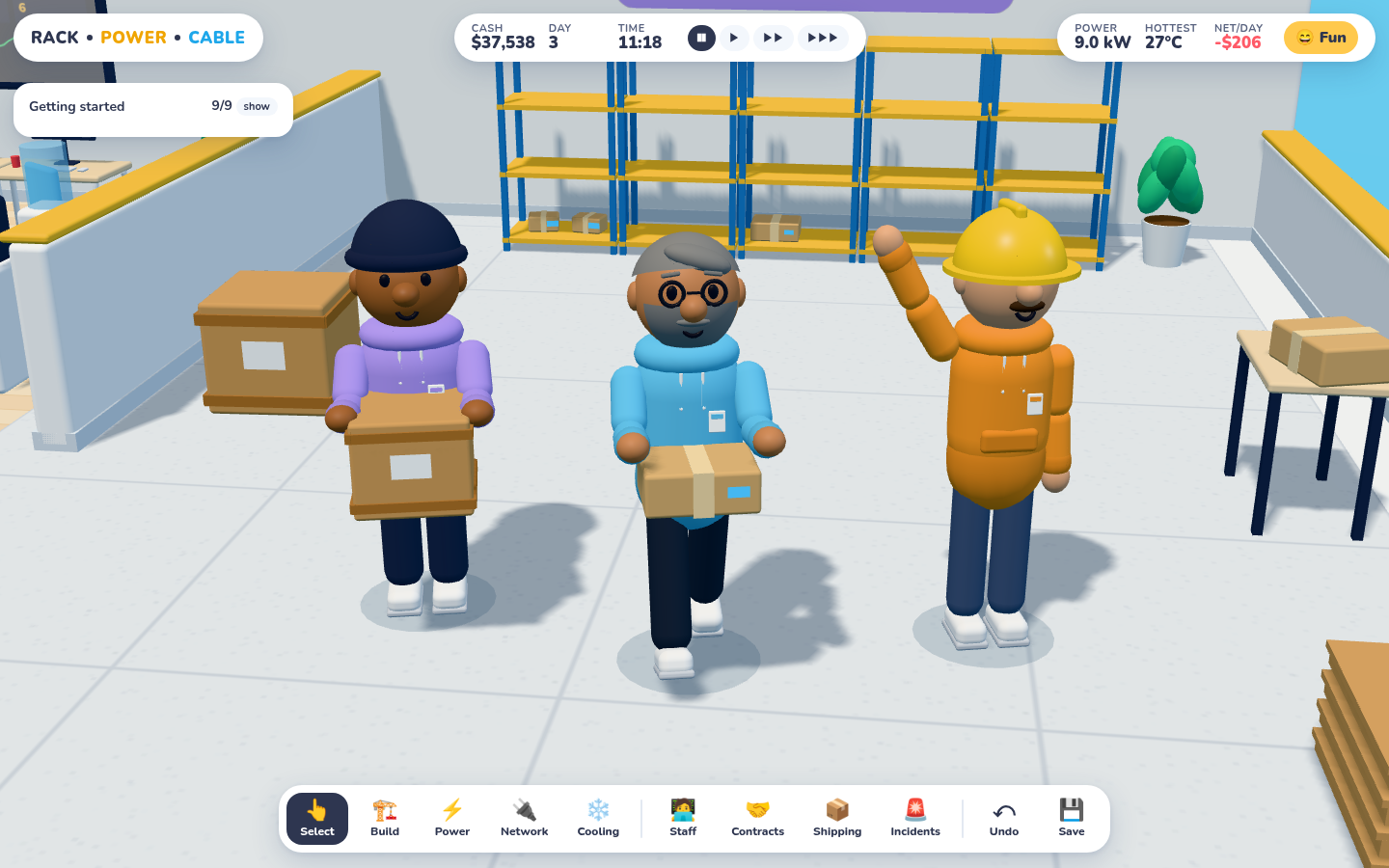
Posed for the camera (in play they're usually walking away from you): the clerk with a UPS crate and a sysadmin with a 1U server box. The crew waves back.
Spares change the pace. Anything on the shelf is used first and costs nothing extra, so installs from stock start right away. The rack panel now shows 📦 in stock ×2 or ships ~45 min for each item. Cancel something still in transit and you get a full refund. If it has already arrived, it just goes back into stock.
Incidents
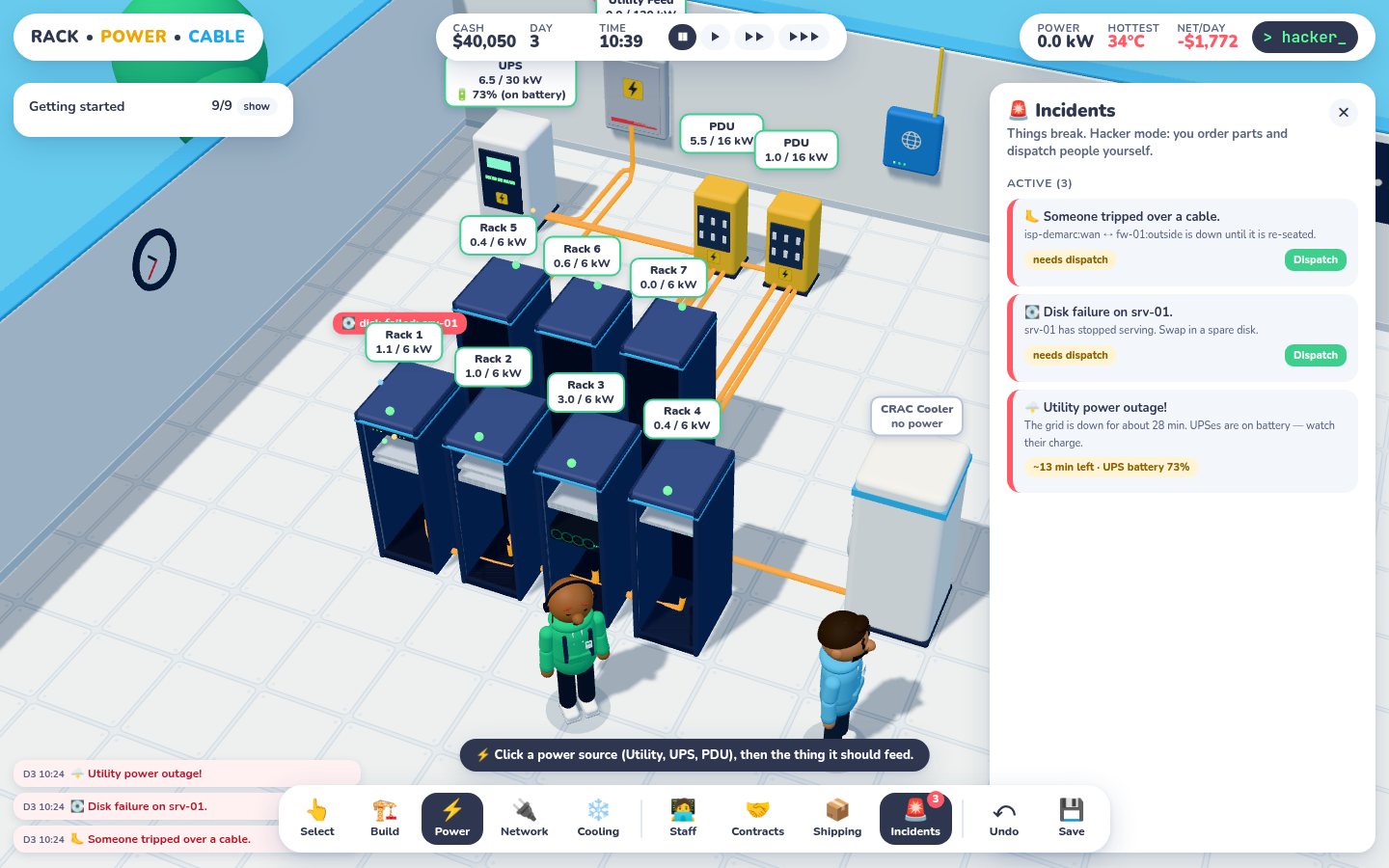
A bad morning in Hacker mode: the grid is down (UPS at 73% on battery), srv-01 lost a disk, and someone kicked the uplink cable. The CRAC went dark because it was wired straight to the utility, not the UPS. That's a lesson.
Incident
What breaks
The fix
🌩️ Utility outage
Grid power, for 25–90 min
UPSes ride through on a 6 kWh battery (about 40 min at 9 kW). Anything wired straight to the utility goes dark.
🧊 CRAC compressor
That cooler stops cooling
A compressor part plus a Facilities Tech
💽 Disk failure
A server stops serving
A spare disk plus a Sysadmin
🦶 Tripped-over cable
One link goes down (and turns red)
A Network Engineer re-seats it
📈 Customer goes viral
That contract needs +1 server for 12 h
Assign more capacity; they pay 1.5× while you keep up
Nothing breaks until your first customer is green, so the tutorial stays calm. Fun mode orders parts and dispatches people automatically. Hacker mode leaves it to you: a Dispatch button, a parts bill, and a dock that might be three hours from a delivery. A 🚨 badge on the dock counts what's open.
Verified this session
Full chain, stepped through the real sim: place a rack and a UPS → one truck → both crates received and tagged → fetched → built. Then order a server → delivered → the sysadmin carries it → installed.
Stock path: a spare switch on the shelf is used immediately. Cancel path: a server ordered then removed before delivery refunds the full $4,200.
Each incident forced and resolved end to end: a disk swapped from a shelf spare, a compressor ordered and fitted, a cable re-seated, the outage survived on battery, and a viral surge flips the contract red until capacity is added.
Undo of an order returns the money and removes the order. Saves from before this update migrate the wider heat grid.
A bug the new room caused: the office water cooler and coffee machine sat right in front of the new doorway into receiving, so nobody could path to the crates. Build jobs just said "can't reach it". They've moved along the wall.
Save, load, undo — and a floor that finally lines up
This was the first round of playtest feedback. Two things came back: "I need to be able to save", and "I wish the units lined up with the floor panels". Both are fixed.
The half-tile bug
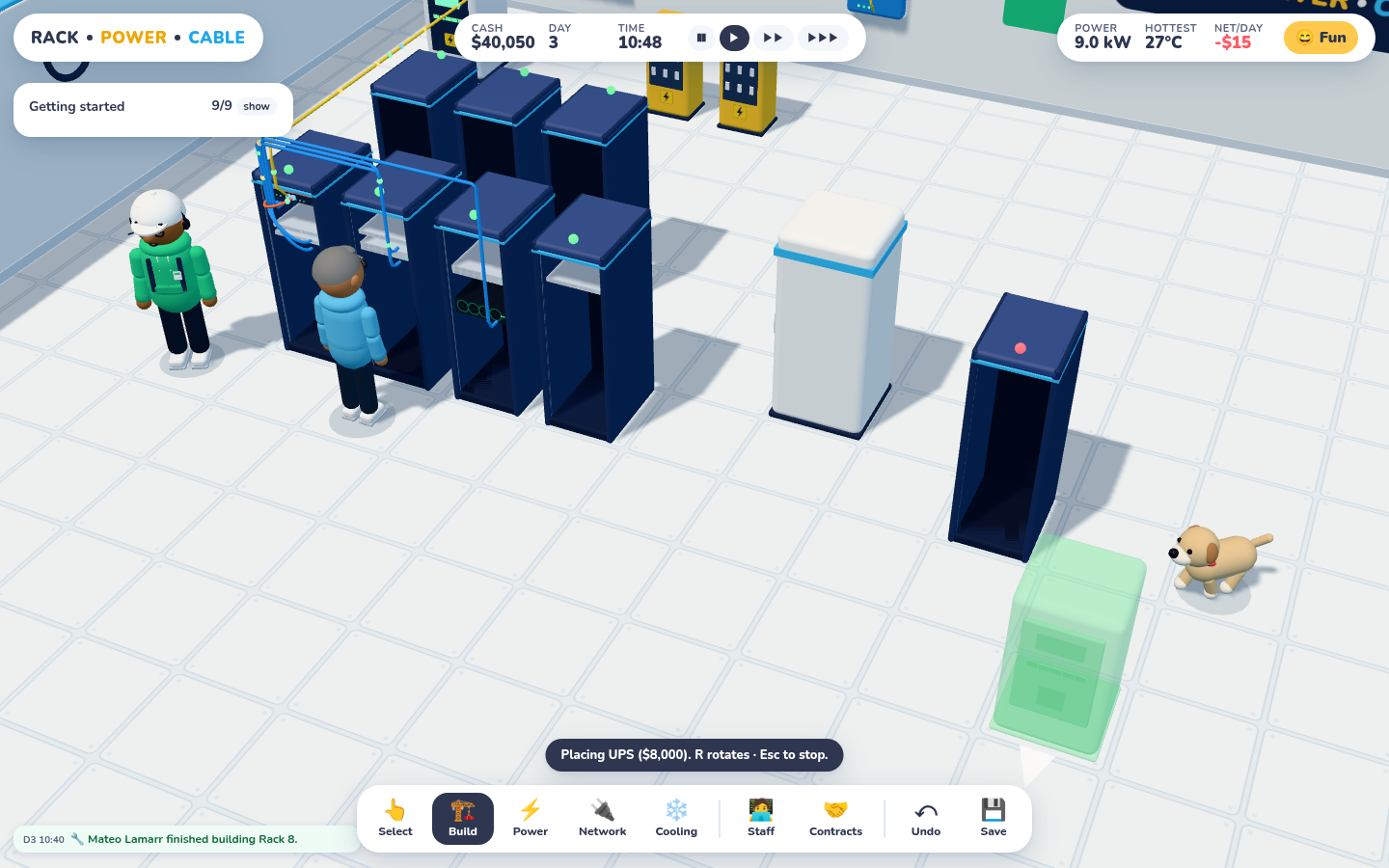
After the fix: each rack, the CRAC and the placement ghost sit inside exactly one raised-floor tile.
The game grid and the floor texture were both one metre per cell, just offset from each other by half a metre. Cell (x, z) covers x … x+1, but the floor plane was centred on the room's middle cell, so it started at x = 0.5. Every tile seam ran straight through the middle of a game cell, and every rack looked like it was straddling two tiles. The fix was one line per floor: centre the plane on whole-cell bounds.
Moral: when two systems share a unit, check they also share an origin.
Save and load
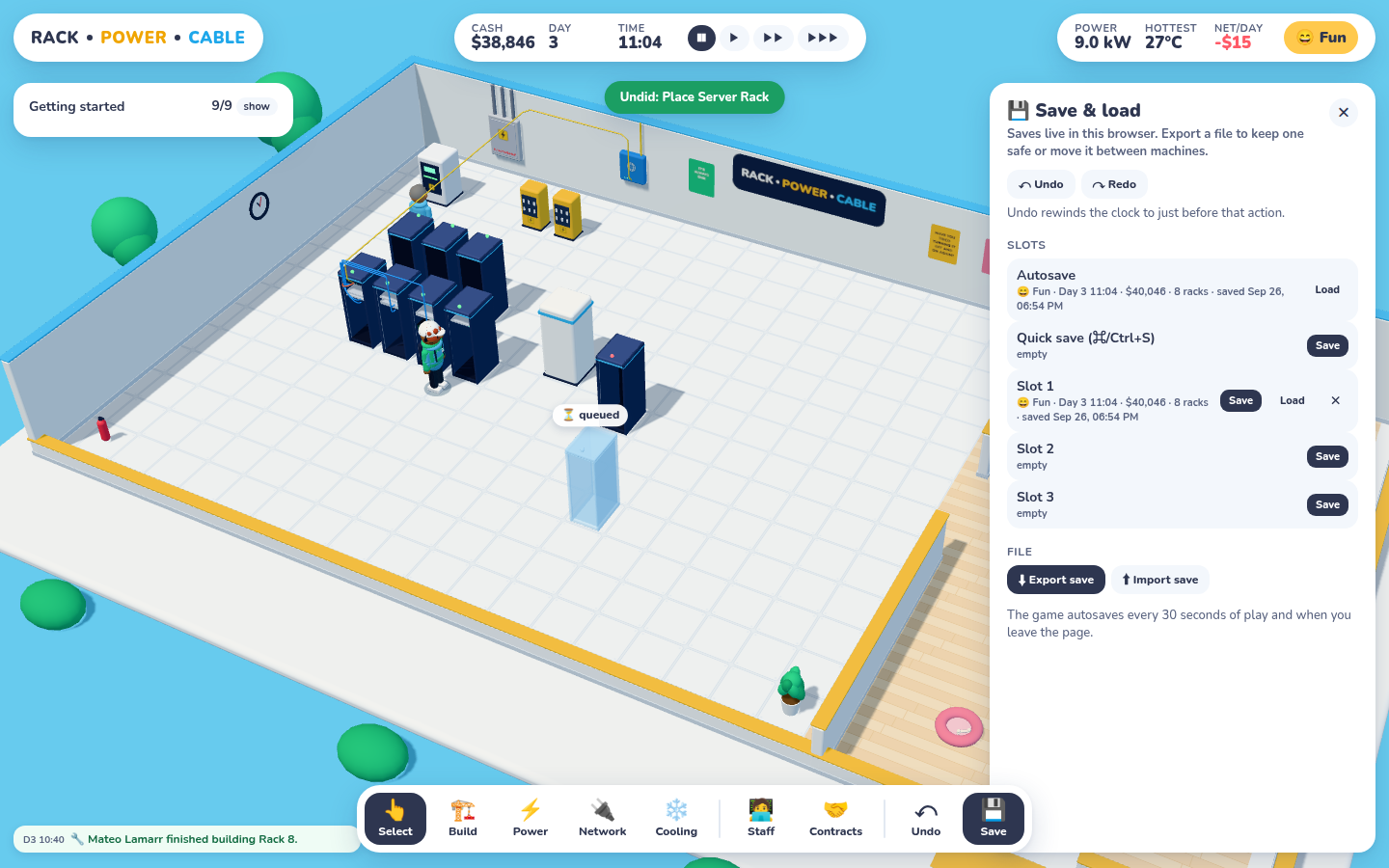
The 💾 panel: autosave, quick save (⌘/Ctrl+S), three slots, and export/import to a file. The title screen now has a Continue button too.
The simulation already kept everything in plain, serialisable objects, and that decision paid off here: a save is basically JSON.stringify(state). Three wrinkles:
The heat grid is a Float32Array, so it gets tagged and revived.
Contract traces are derived data (hop lists, link paths). They're dropped from the save and recomputed on load, which also keeps a mid-game save around 20 KB.
Walkability lives outside the state, in the pathfinding grid, so it gets rebuilt from the loaded entities. Skip that and workers happily walk through a rack that was just loaded in.
The game autosaves every 30 seconds of play and whenever you leave the page. Browser storage can be missing or full, so every access is guarded, and the fallback advice is "export a file".
Undo that can't lie
Undo is snapshot-based: every player action records the state from just before it. That covers building, cabling, firewall rules, console commands, hiring and contracts. Undo swaps that snapshot back in. The clock rewinds too, and the toast says by how much ("Undid: Console: rule del 1 · rewound 6 min").
The alternative was writing an inverse for every action: refund the rack, cancel its job, unblock its cell, drop its power cables, and so on. There are dozens of those, and every one is a chance to leave the sim half-reverted. A snapshot can't get that wrong. It costs two serialisations per click, a few milliseconds each. Read-only actions, like show rules in the console, don't create an undo step at all.
One open question: in Hacker mode, undo can rewind you out of a breach. That's fine for now, but it probably wants a "no take-backs" rule later.
Verified this session
Place two racks by clicking → undo twice → money and walkability restored → redo re-places one.
Console rule del 1 → ⌘Z restores the rule; show rules creates no undo step.
Save to a slot → sell a rack and zero the cash → load: money, racks, workers and heat all back, and both contracts re-evaluate to green.
The title screen shows Continue with the newest save; importing a file works, and a junk file is rejected with a clear message.
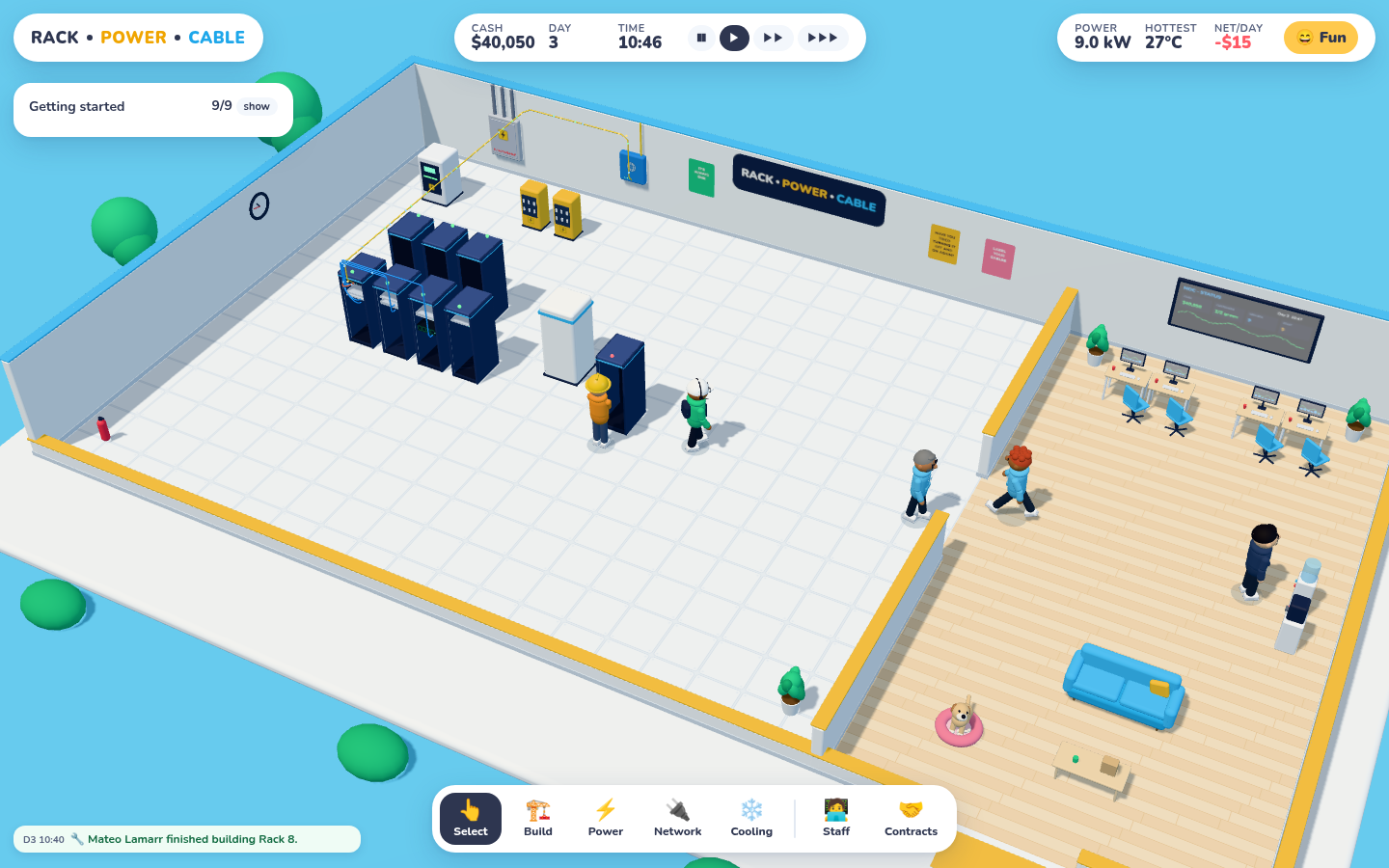
The whole building: server room on the left, NOC and break room on the right. The walls get lower toward the camera so you can always see in.
The brief was simple and huge: a datacenter tycoon that feels like a toy but plays like a job. You build the server room, install racks, run power and cooling, cable routers, switches and firewalls into servers, then configure them properly. And it has to be fun.
This first session was about the core loop, with nothing faked. Everything below runs in the browser from a folder of ES modules. There's no build step.
The look: chunky, soft, a bit silly
The art target was the Wolt illustration style: big round heads, big noses, puffy hoodies, chunky white sneakers, and a sky-blue world. Every character is built in code from spheres, capsules and rounded boxes, with a small joint rig (hips, shoulders, elbows, neck). Faces get eyebrows, a smile, and optional glasses, moustaches, beards, caps, beanies, hard hats and headsets. Hoodie colour tells you the role.
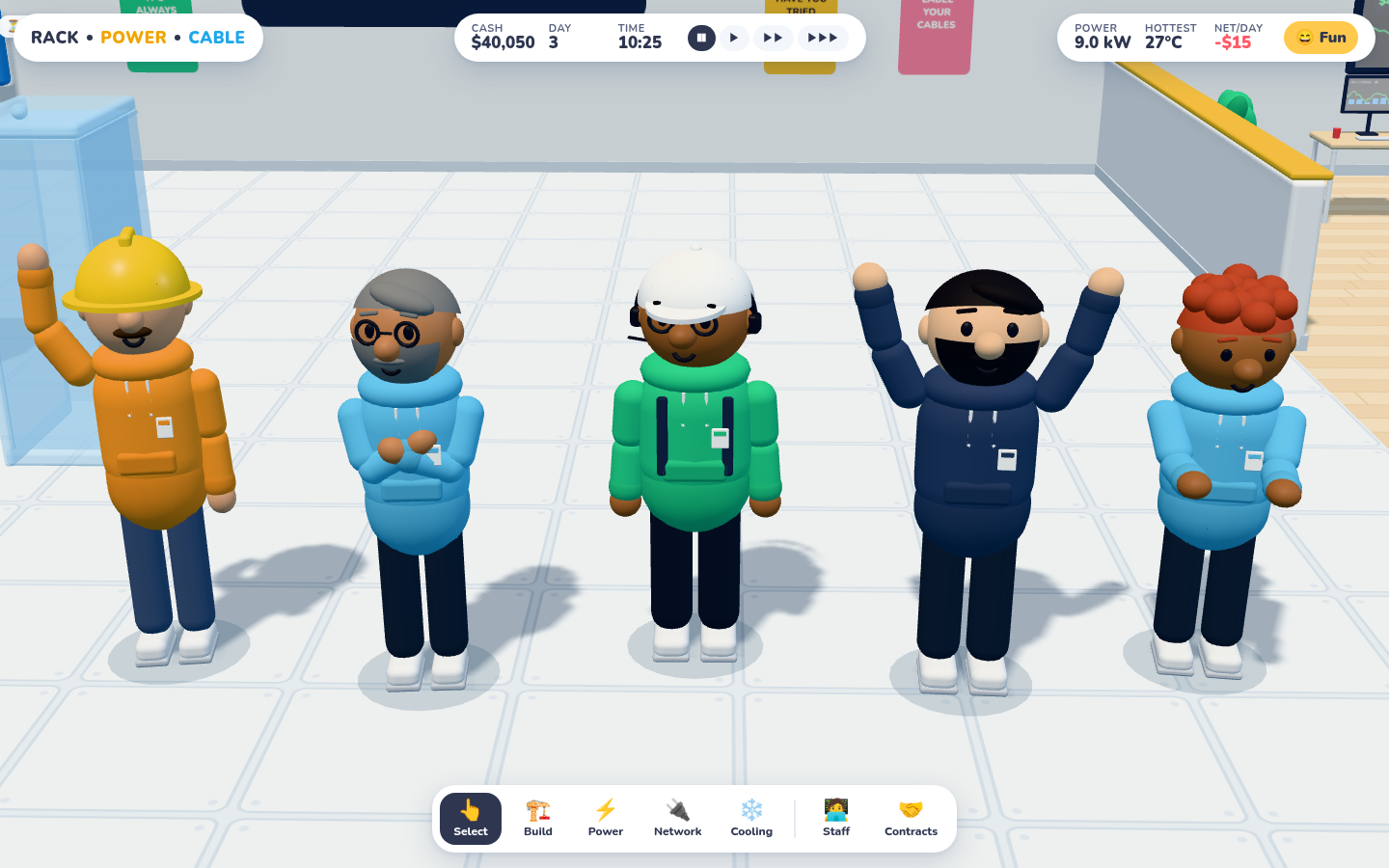
The crew, each in a different pose: waving, crossed arms, idle, cheering, typing. They also blink, breathe, glance around, and wave at each other when they pass.
Animation blends toward pose targets instead of using keyframes, so switching from walking to waving to working never snaps. Colleagues who pass each other sometimes stop and wave. There's also an office dog. It wanders, follows people around, naps in its bed, and says "Woof!" if you click it. It does nothing for the economy. It stays.
One lesson from this session: ACES tone mapping washed the candy palette out to grey-blue. Switching to Three's NeutralToneMapping brought the colours back in one line.
Nothing happens without people
Clicking "build" doesn't build anything. It places an order and queues a job, and a worker with the right role walks over and does it. Facilities Techs build racks, run power and reset breakers. Sysadmins rack and provision servers. Network Engineers install network gear and run cable. If nobody has the right role, someone else pitches in at half speed. If nobody at all is free, the job waits, and its bubble says who you need to hire.
Under construction, things render as a translucent blue ghost with a progress bubble. When the job finishes, the worker does a little cheer.
Power: Utility → UPS → PDU → Rack
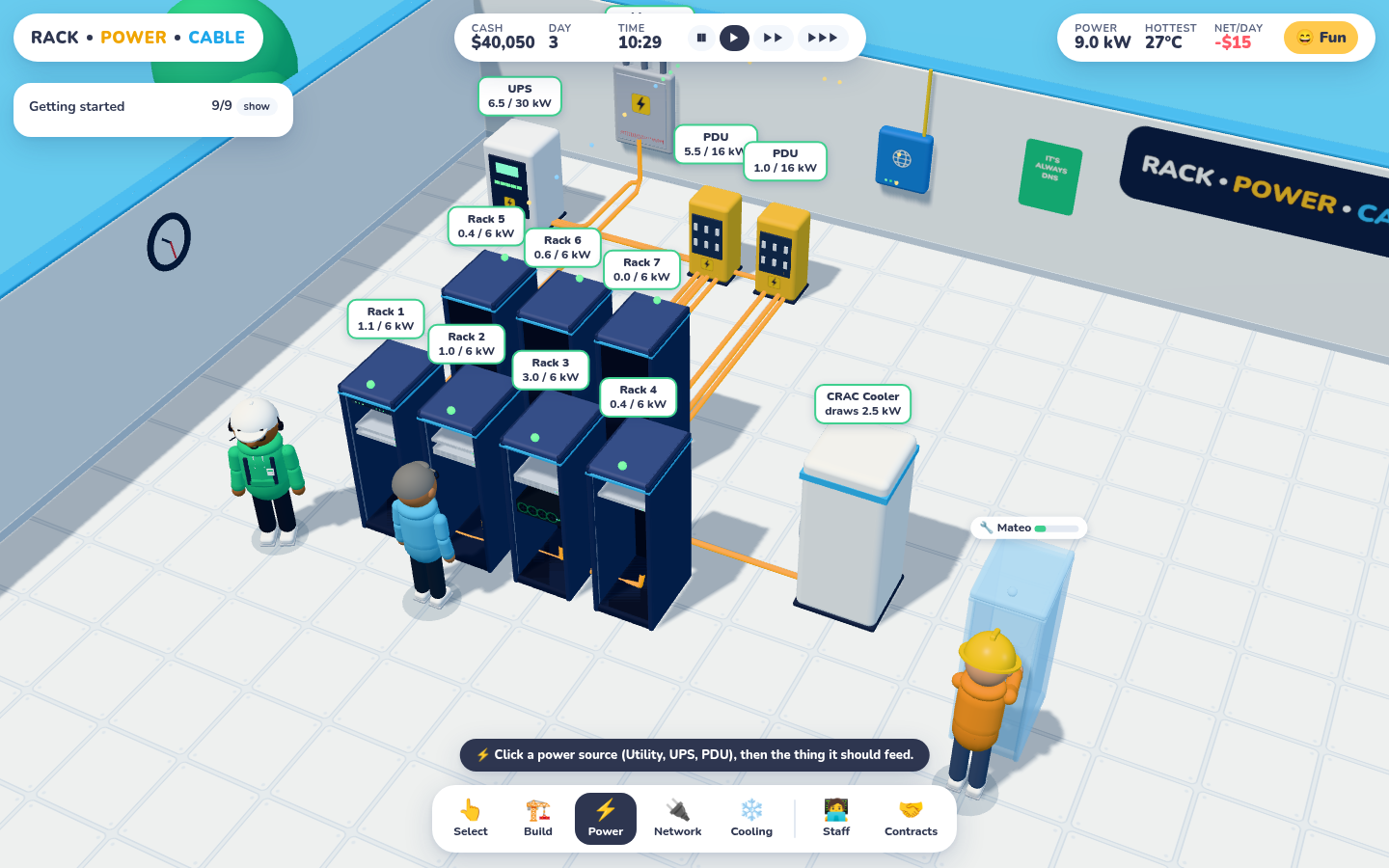
The power overlay. Cables run under the raised floor and each node shows its load against its rating. Colour moves from orange to amber to red as a circuit fills up.
The power tool is click-source, click-target. Loads add up from the bottom: a rack's load is the sum of its gear, a PDU's is the sum of its racks, and so on. Go over a rating and the breaker trips. Everything downstream goes dark, alerts fire, and a Facilities Tech has to walk over and reset it once you've shed the load. Each rack circuit is 6 kW, which a single 4U GPU server (2.4 kW) eats a big chunk of.
Cooling: the heat map
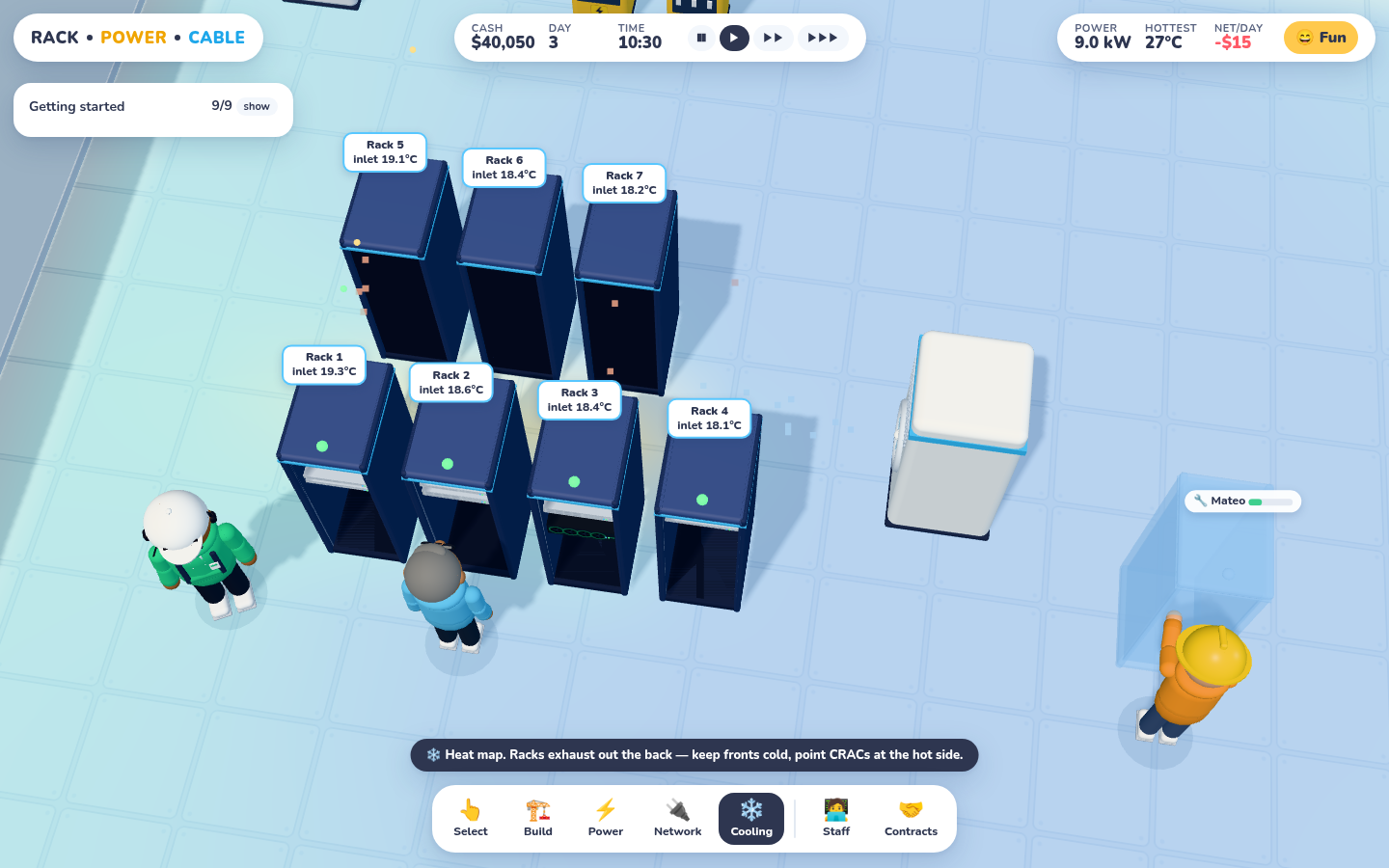
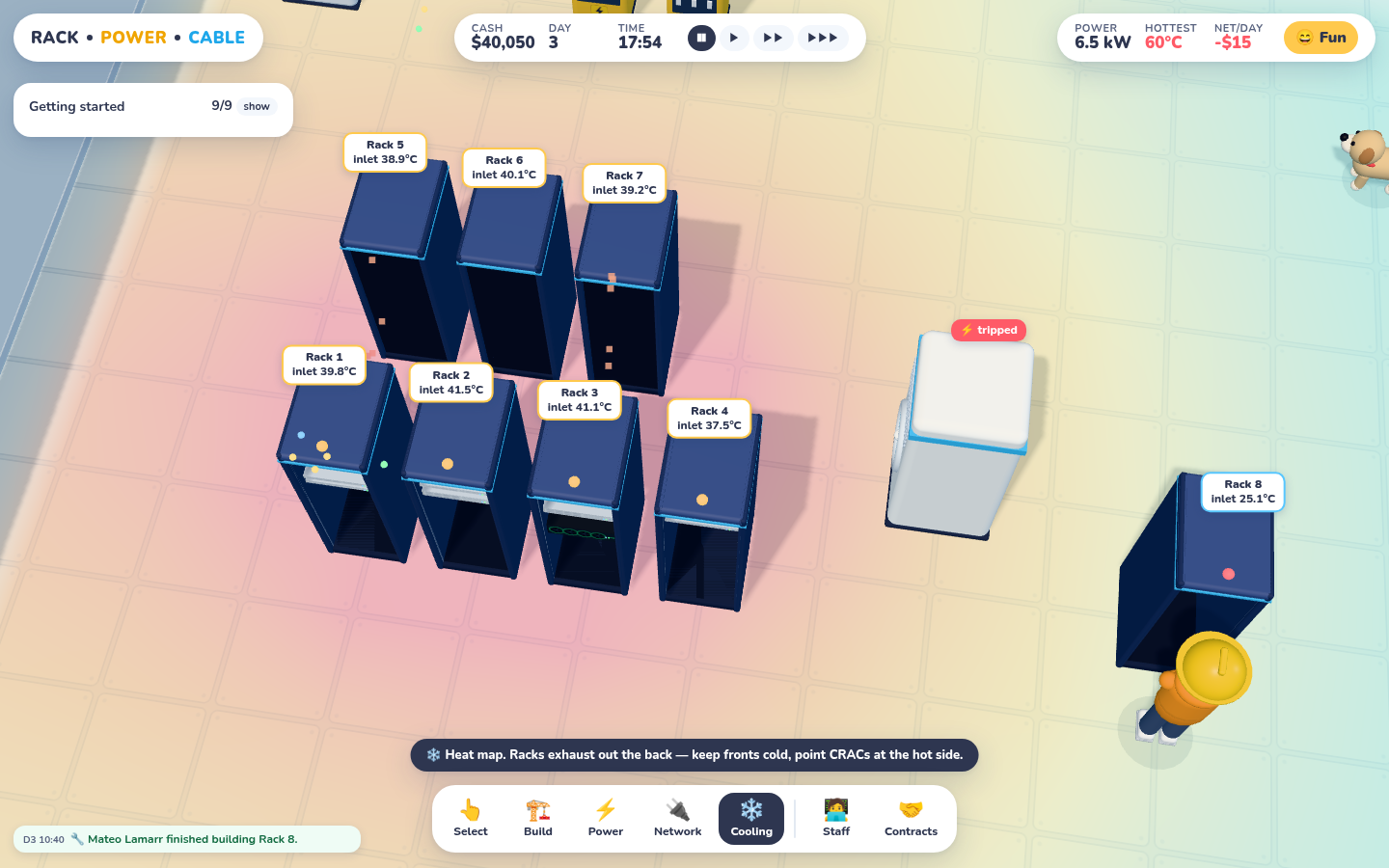
CRAC running: inlets at 18–19°C. Hot air collects in the aisle between the two rows.Same room seven game-hours after the CRAC's breaker tripped. Inlets near 40°C, and Fun mode shuts servers down at 45°C.
Heat lives on a per-cell grid. Racks breathe in at the front and exhaust out the back, so rotation matters and hot-aisle/cold-aisle layouts pay off. CRACs pull heat within a radius toward an 18°C setpoint.
Tuning took three tries. First the CRAC chilled the whole room to its floor temperature and the map was a sea of blue. Then it was 77°C in the hot aisle. The fix was to cap how fast a CRAC can pull down any one cell, falling off with distance. Air handling is local, and once that was in the model, hot aisles showed up where they should.
The network, honestly
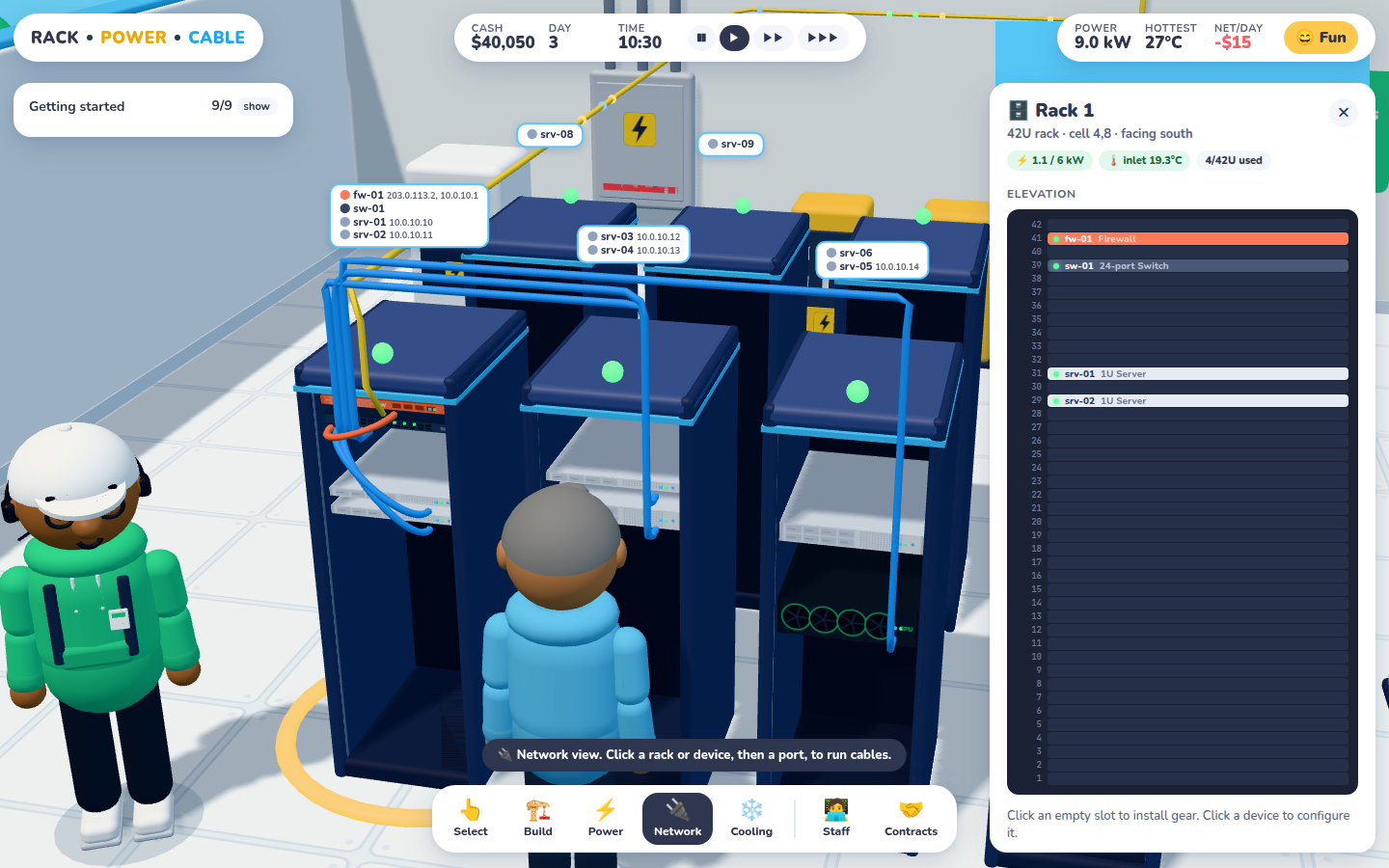
This is where the game stops being point-and-click. Each device has ports, and you patch port to port from the rack panel. Cables render as drooping patch loops inside a rack and as overhead tray runs between racks. Little packets zip along any path that's currently serving a customer.
Network overlay plus the rack elevation panel. Click an empty U to install gear, click a device to configure it. Labels show hostnames and IPs per rack.
Under that sits a small, real network model:
L2: switches with access and trunk ports and VLAN tags. Broadcast domains come from walking the cabling.
L3: interfaces and VLAN sub-interfaces (ge1.20), connected and static routes, longest-prefix match, ARP on the egress segment.
Firewall: DNAT port-forwards (with proxy-ARP for public IPs), ordered stateful rules with default deny, and inside→outside masquerade.
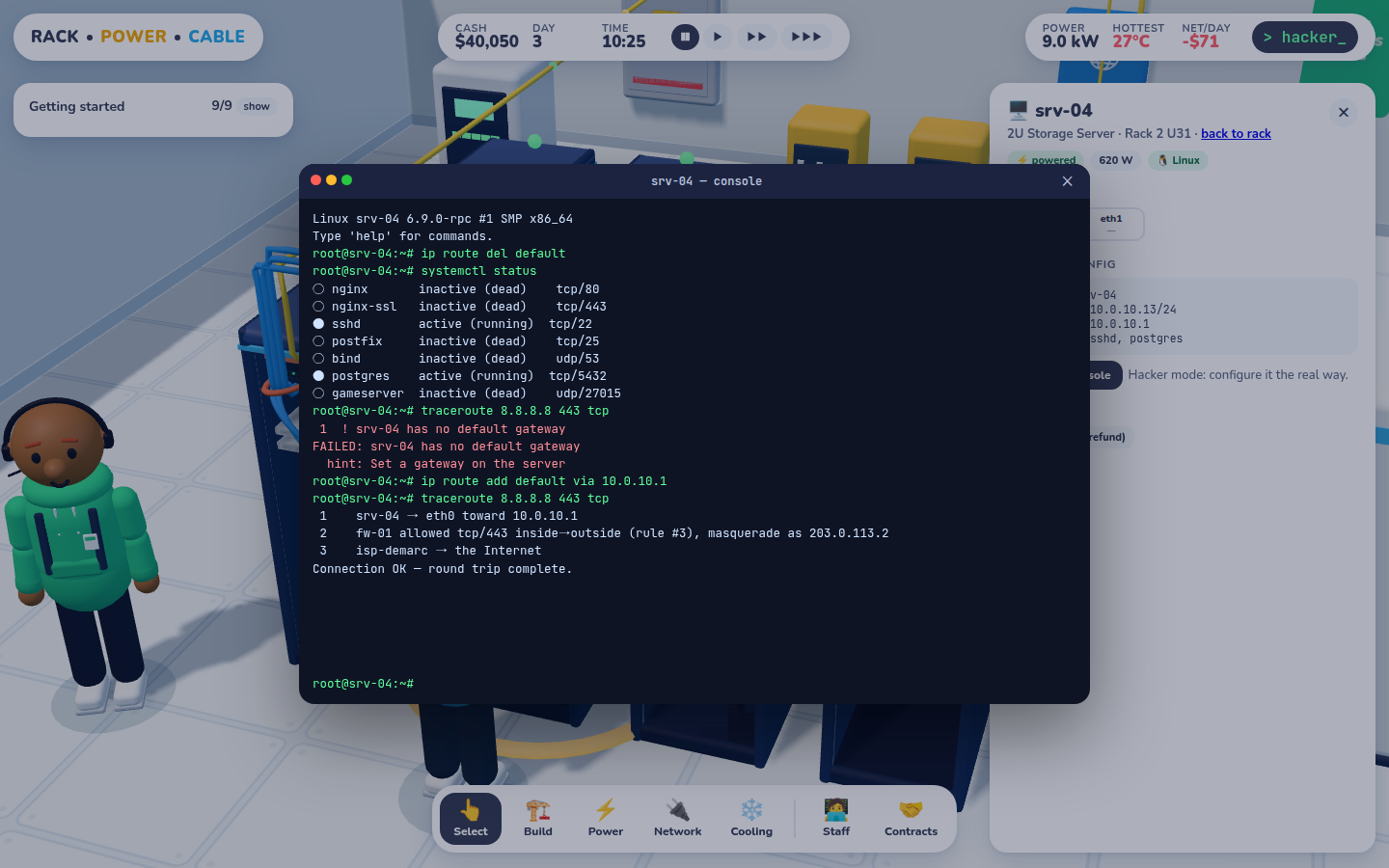
Return path: a trace has to make the round trip. "Server has no default gateway" is a failure you'll meet.
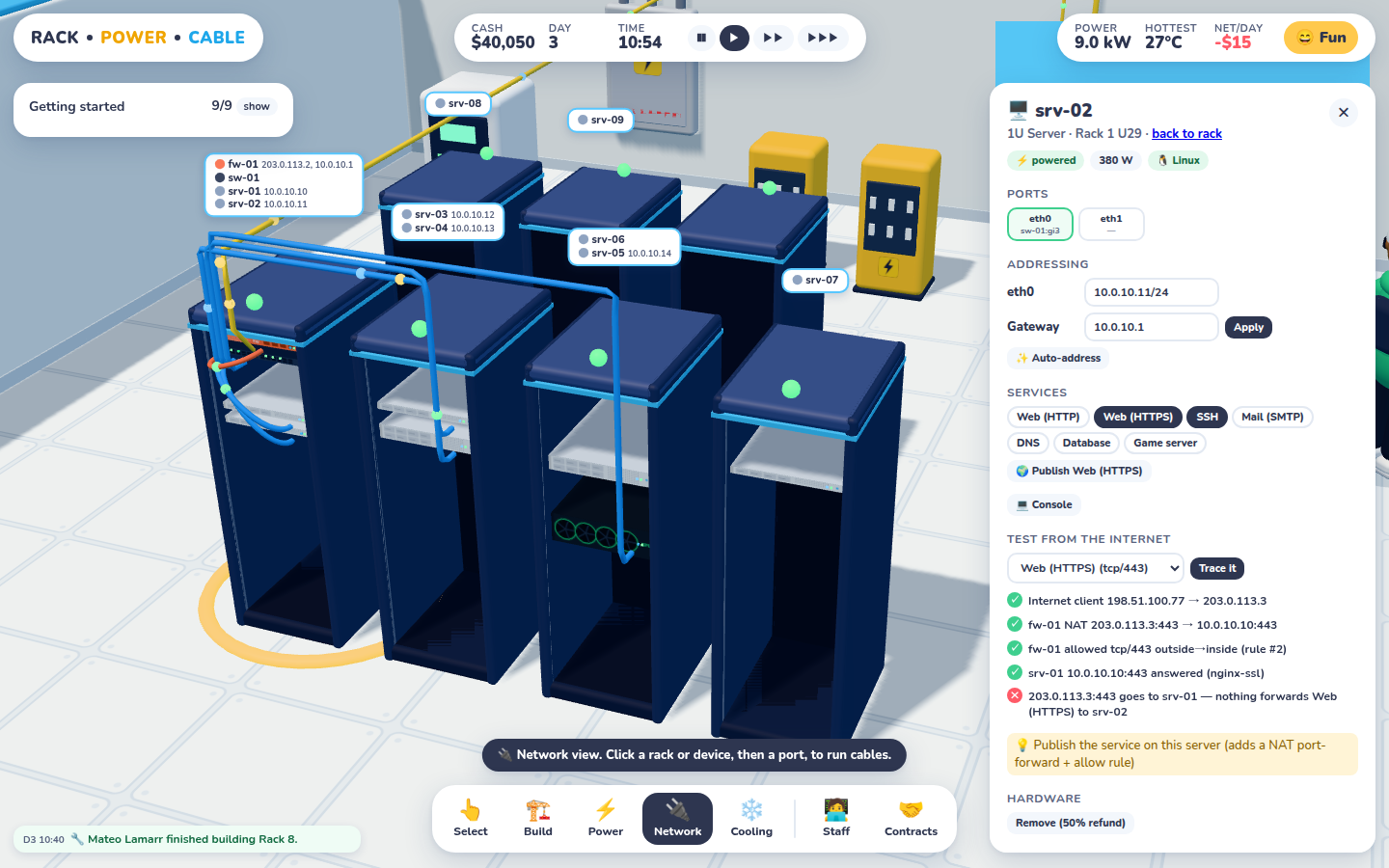
One tracer drives the Fun-mode "Trace it" button, the CLI's traceroute, and every contract check. When a trace fails, it names the hop that failed and why.
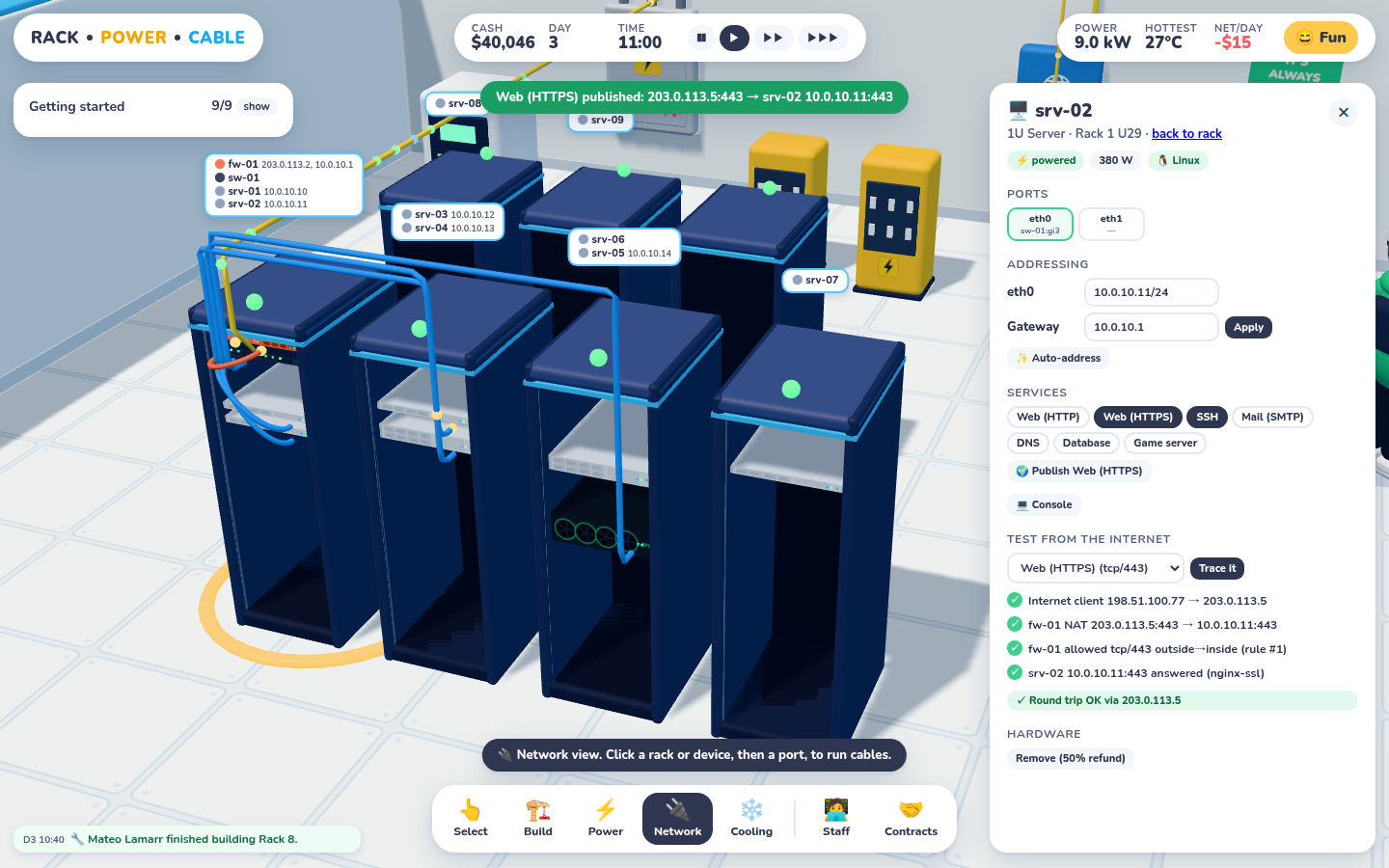
srv-02 runs HTTPS, but the only public forward points at srv-01. The tracer says exactly that.One click on 🌍 Publish adds a NAT forward and an allow rule. The round trip goes green.
Hacker mode: do it the real way
Fun and Hacker share one simulation. In Hacker mode the forms become read-only and you configure devices from a console: Linux commands on servers, Cisco-ish commands on switches and routers, and a small purpose-built shell on the firewall. Servers arrive with no OS, so a Sysadmin has to provision them first. Thermals are stricter, SLAs cost money when you miss them, and exposed services can get breached.
Delete the default route and the traceroute fails with a hint. Add it back and the packet goes out through the firewall's masquerade.
fw-01# nat add 203.0.113.9 -> 10.0.10.13
warning: 1:1 NAT forwards EVERY port (ssh included). Firewall rules still apply.fw-01# rule add allow tcp from outside to inside port 22 dst 10.0.10.13
added rule #4
Do that and any contract with "SSH must NOT be reachable from the internet" goes red. In Hacker mode, attackers will eventually find it. Security Analysts lower the odds.
Staff and customers
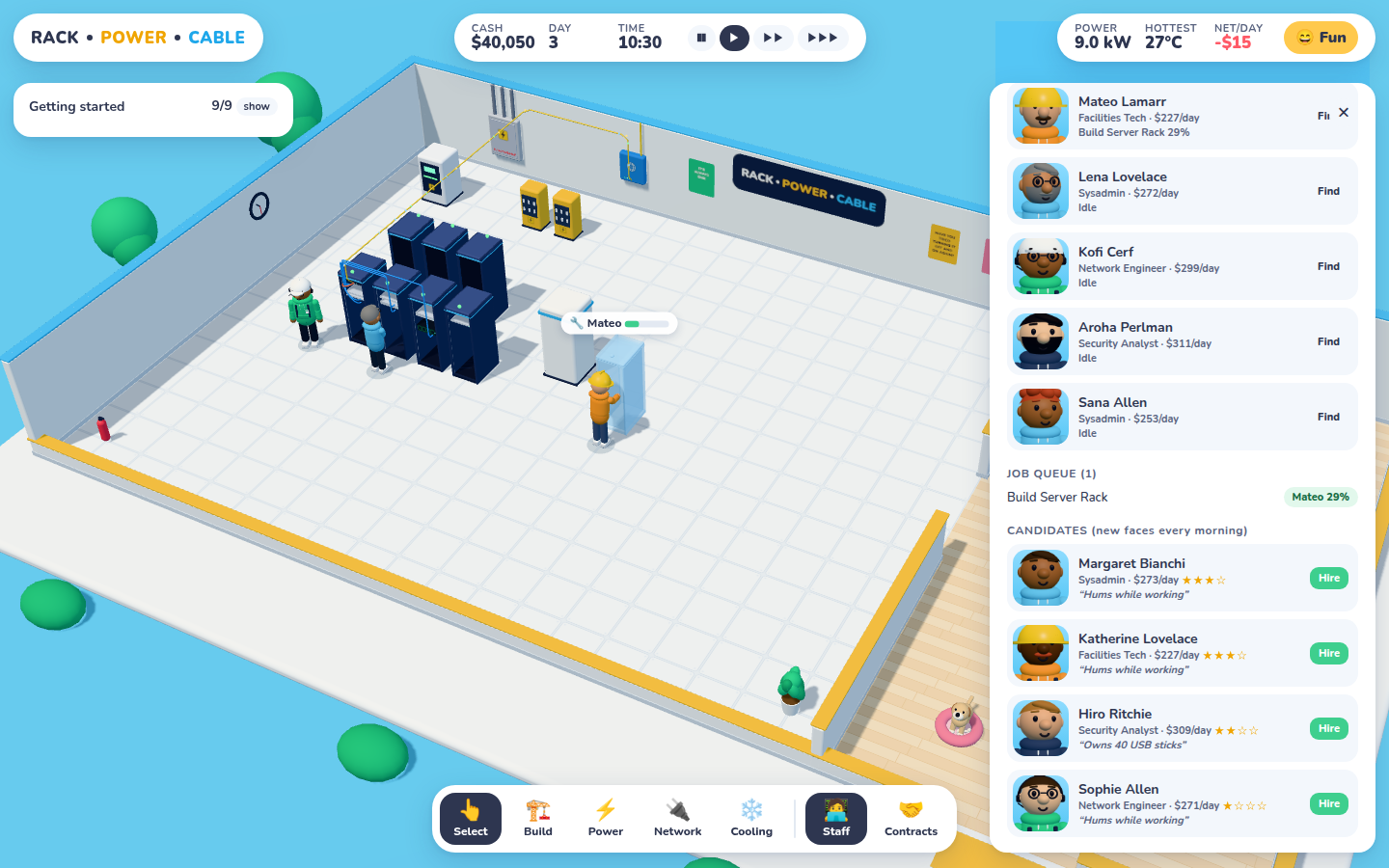
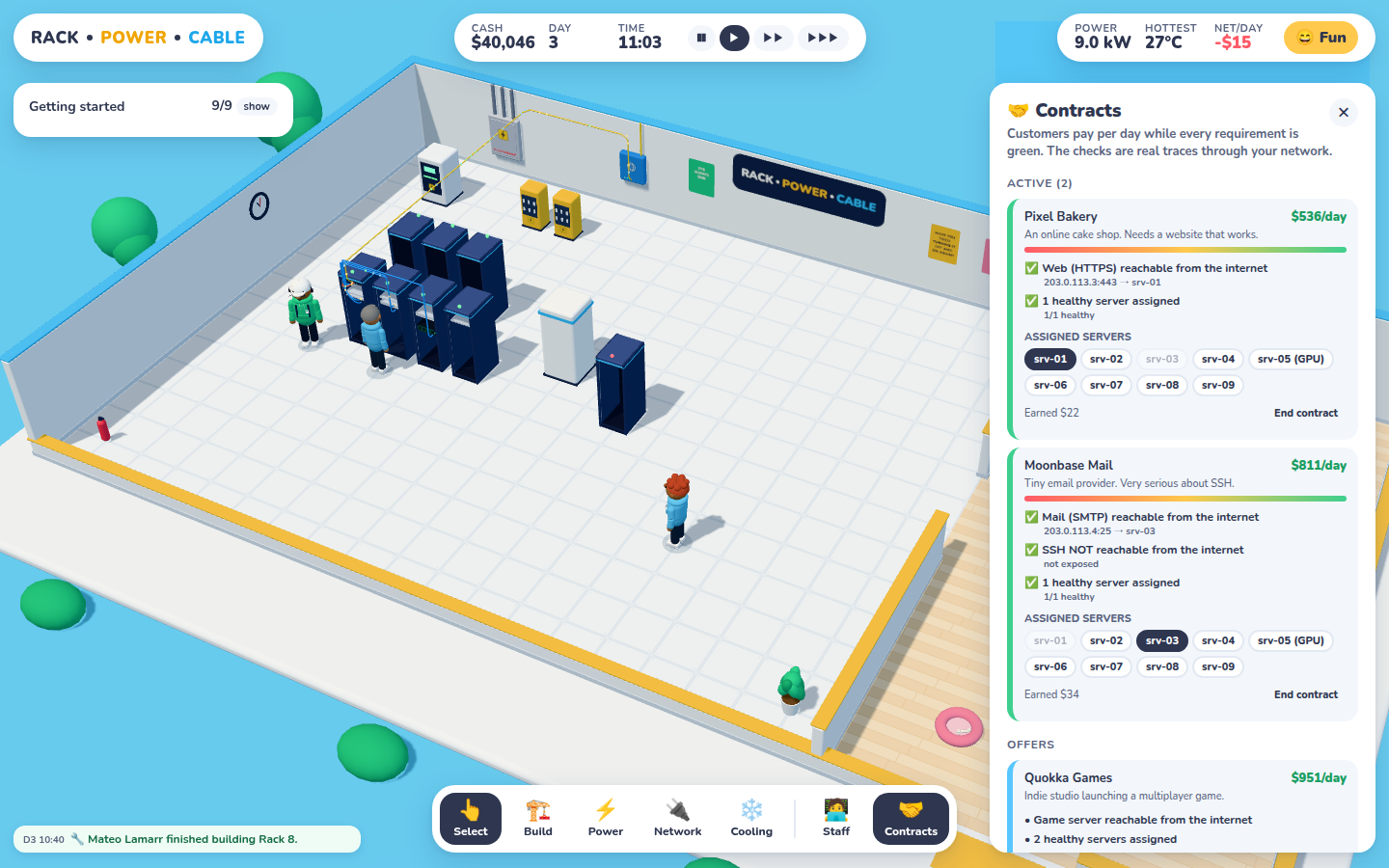
Staff. Portraits are rendered from each person's actual 3D model. New candidates show up every morning.Contracts. Assign servers and every requirement is checked by a live trace.
Customers pay per day while every requirement is green. Requirement types so far: a public service is reachable, N healthy servers, an internal flow (web → db:5432), and a service that must not be public. There's a hidden stat for later, too: each candidate already carries a background-check result, and a small chance of being a malicious insider. The HR department will make use of that.
Under the hood
Piece
What it is
Runtime
Native ES modules plus an import map. Three.js r170 is vendored, and a 20-line Go file server does the serving. No bundler.
Simulation
src/game/: plain serialisable state, a fixed one-minute tick for power, heat, jobs and contracts, and the tracer.
Rendering
src/render/: procedural avatars and props, a state→scene sync keyed on signatures, overlays, HTML labels.